


Webinar conversion tracking is how you find out what actually happens after someone hits “register” — not just how many people signed up, but how many showed up, engaged, and eventually became real pipeline. Most teams can report registration numbers without much effort. Far fewer can confidently say how many of those registrants turned into qualified leads, opportunities, or closed revenue weeks or months later.
That gap matters because registration counts alone say almost nothing about whether a webinar program is actually working. A webinar with 2,000 registrants and no conversion tracking looks identical, on paper, to one with 200 highly-qualified registrants who convert at ten times the rate — until you actually build the tracking to tell them apart. This guide covers exactly how to set that tracking up, stage by stage, and which metrics to watch along the way.
The good news is that most of the infrastructure needed for this already exists in a typical marketing stack. The challenge is rarely a lack of available data — it’s that registration, attendance, engagement, and revenue data often live in three or four disconnected systems that were never properly wired together. Fixing that wiring, more than adopting any single new tool, is usually what separates teams with genuinely reliable conversion tracking from teams still guessing.
Why Registration Numbers Alone Don’t Tell the Full Story
It’s tempting to treat webinar registrations as the finish line, especially when a promotional push produces an impressive number. But registrations are only the entry point into a funnel that includes attendance, engagement, lead qualification, and — eventually — revenue. A webinar that attracts a huge number of low-intent registrants through broad paid promotion can easily underperform a smaller, more targeted webinar once you track all the way through to pipeline.
This is why conversion tracking needs to follow the full journey rather than stopping at the top. Reviewing webinar no-show rate calculations is a good early step, since the gap between registration and actual attendance is usually the first place real signal gets lost if you’re not measuring it directly.
This distinction matters most when budget conversations come up. A promotional strategy optimized purely for registration volume — broad paid ads, generic messaging, low-friction sign-up forms — can inflate top-of-funnel numbers while quietly attracting people who were never likely to convert in the first place. Without full-funnel tracking, that strategy looks successful right up until someone finally asks how much pipeline it actually produced.
The Webinar Conversion Funnel, Stage by Stage
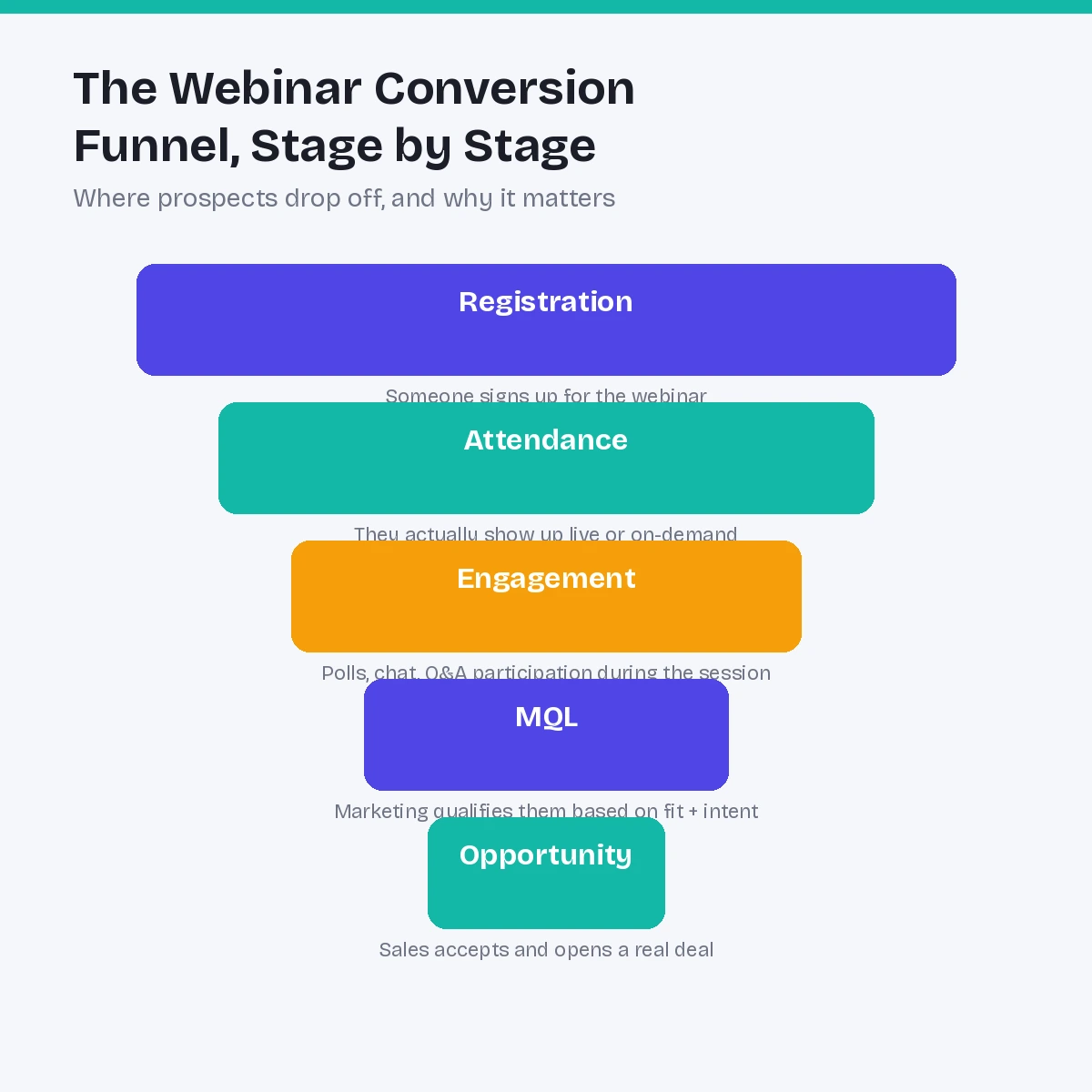
Registration — Someone sees your promotion and signs up. This is the easiest stage to track but the least predictive of revenue on its own.
Attendance — They actually show up, live or via on-demand replay. This is where you start to see genuine intent, since registering costs nothing but showing up requires actually carving out the time.
Engagement — Poll responses, chat activity, and questions asked during the session indicate how closely someone is paying attention, and tend to correlate strongly with downstream conversion.
MQL (Marketing Qualified Lead) — Marketing reviews attendance and engagement signals against fit criteria (role, company size, industry) and qualifies the attendee as worth passing to sales.
Opportunity — Sales accepts the qualified lead and opens a real deal, at which point the webinar’s influence should already be logged and attributable.
Tracking every stage — not just registration and attendance — is what turns a webinar report into something that actually predicts revenue rather than just measuring popularity.
Key Metrics to Track for Webinar Conversions
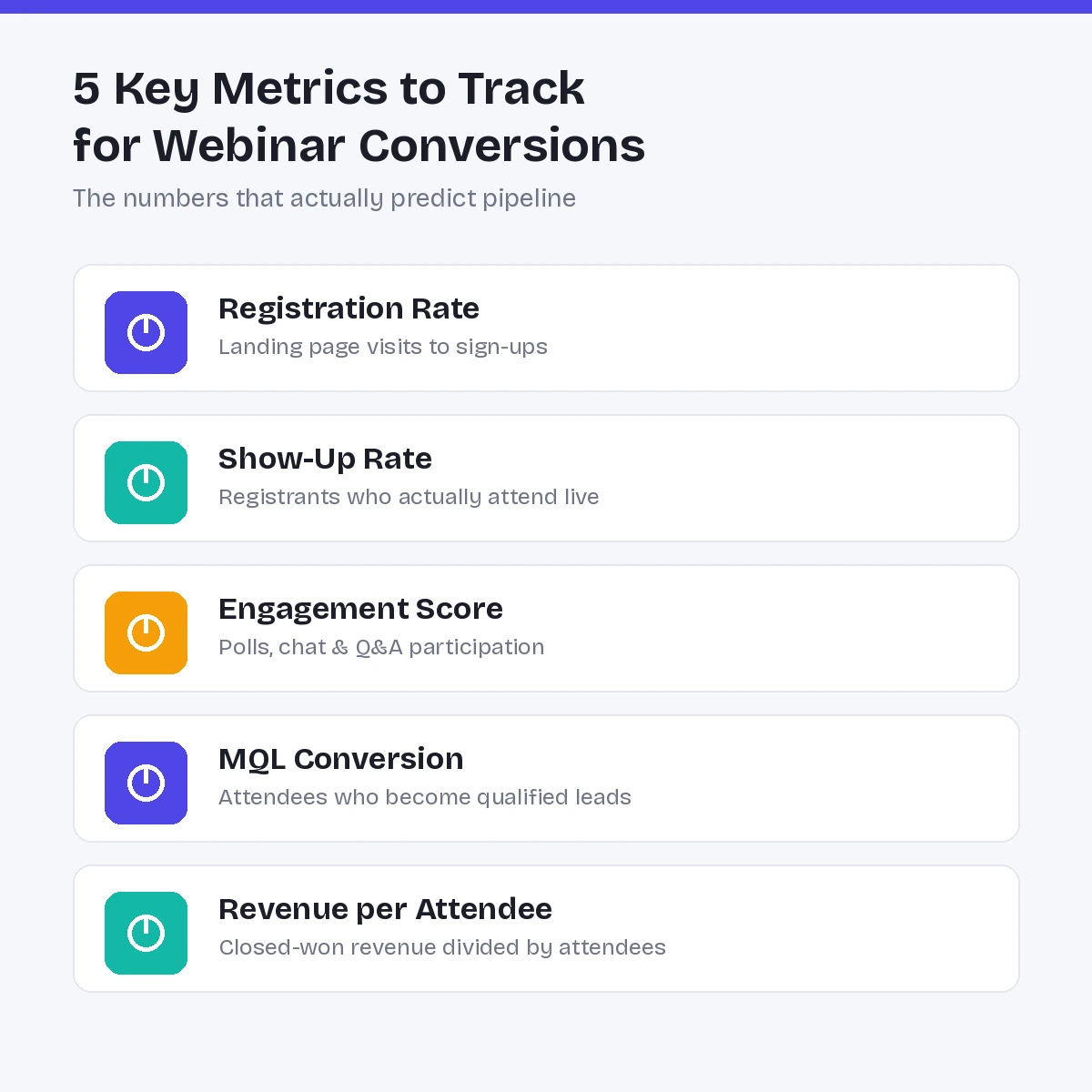
Registration Rate — The percentage of landing page visitors who complete registration. This measures how compelling your offer and page are, independent of promotion volume.
Show-Up Rate — The percentage of registrants who actually attend. Industry benchmarks vary widely by format and audience, but a consistently low show-up rate usually points to weak reminder sequences or a mismatch between topic and audience intent.
Engagement Score — A composite of poll participation, chat activity, and time watched. This is one of the strongest early predictors of which attendees are worth prioritizing for follow-up.
MQL Conversion Rate — The percentage of attendees who go on to become marketing qualified leads. This connects webinar performance to your broader lead scoring model rather than treating webinars as a standalone channel.
Revenue per Attendee — Total closed-won revenue from a webinar’s attendee list divided by total attendance. This is the metric that ultimately justifies (or questions) the budget behind your webinar program.
Reviewing your webinar success metrics as a full set — rather than fixating on registration numbers alone — gives a far more complete picture of where a given webinar actually delivered value.
Setting Up Tracking Infrastructure
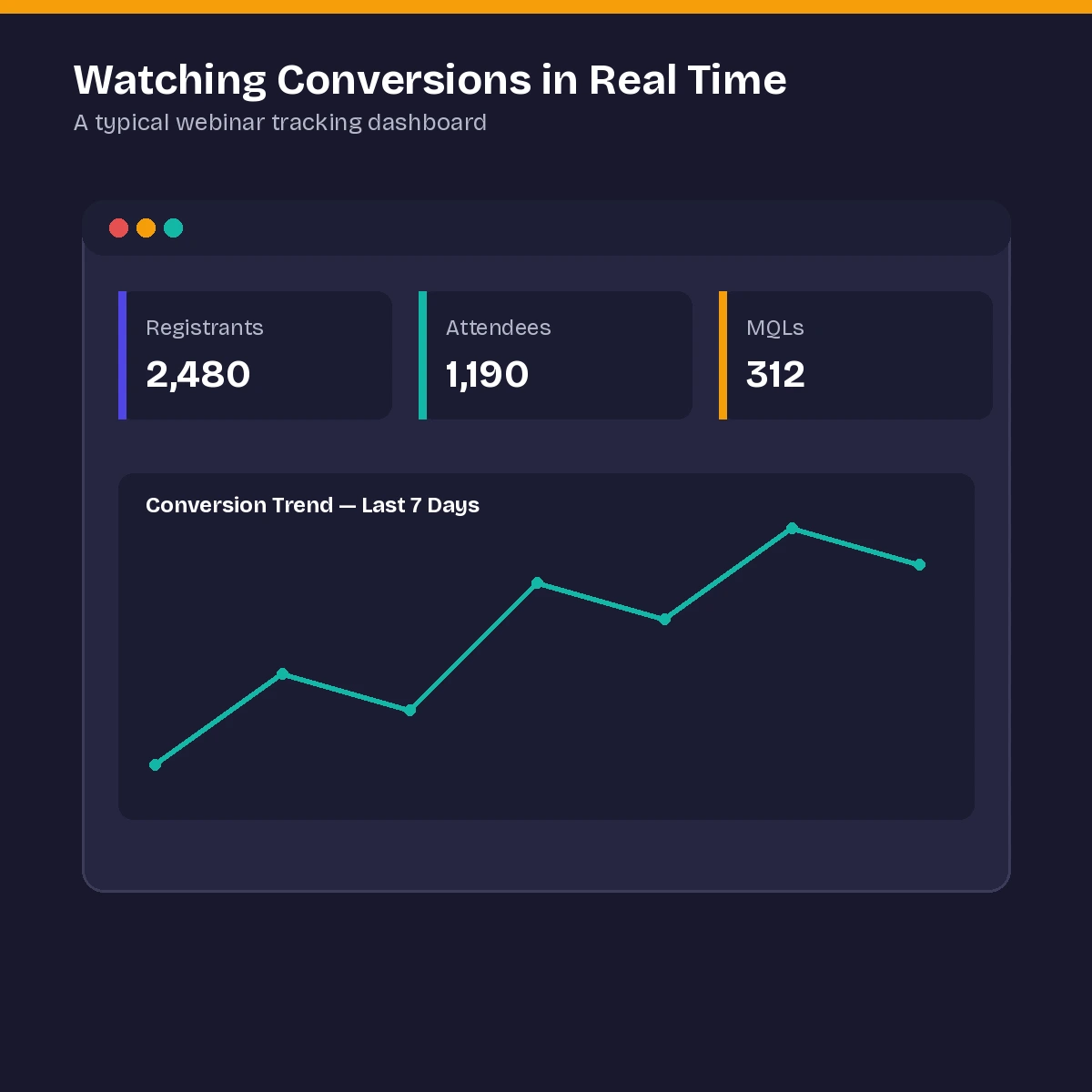
Reliable webinar conversion tracking depends on three systems talking to each other cleanly: your webinar platform, your marketing automation platform, and your CRM. Registration and attendance data from the webinar platform needs to sync automatically into your marketing automation tool, which in turn needs to push qualified activity into the CRM as Campaign Member records tied to real contacts.
The most common breakdown happens at the handoff points — a webinar platform that exports attendance data in a format your CRM doesn’t cleanly ingest, or a marketing automation workflow that creates duplicate contact records instead of matching existing ones. Auditing these integration points before a big webinar push, rather than after, saves significant cleanup work later. Many of the same principles used in Google Ads conversion tracking apply directly here — consistent event naming, deduplicated identifiers, and testing the full data path before scaling spend or promotion. Building this properly is largely a matter of webinar automation done right — the fewer manual steps between “someone attended” and “that data is in the CRM,” the more trustworthy your conversion numbers will be.
Tracking Conversions Through to Revenue
The final and most important stage of webinar conversion tracking is connecting attendance data all the way to closed revenue — not just marketing qualified leads. This requires that every attendee record link to an Opportunity Contact Role (or your CRM’s equivalent) once a deal opens, so that revenue reporting can trace back to the specific webinar that helped generate it.
Without this last connection, teams are often left reporting “quality” proxies — engagement scores, MQL rates — without ever being able to say how much actual revenue a webinar program produced. Closing this loop is usually what turns a skeptical finance conversation into a confident one, since revenue is the number that ultimately matters most when webinar budgets are being reviewed. It’s also the number that tends to survive leadership changes and strategy pivots — engagement scores and MQL rates are useful internally, but revenue is the figure that travels well outside the marketing team. Understanding webinar attribution alongside this tracking helps ensure that revenue credit is distributed fairly across every touchpoint a converting account interacted with, rather than assigned entirely — or not at all — to the webinar itself.
Common Webinar Conversion Tracking Mistakes
- Measuring only registrations and attendance while ignoring engagement, MQL conversion, and revenue
- Letting webinar platform and CRM data fall out of sync due to manual exports or inconsistent field mapping
- Failing to segment conversion rates by webinar topic or audience segment, which hides which formats are actually working
- Not tracking on-demand or replay viewers with the same rigor as live attendees, even though replay engagement can still convert
- Treating every conversion stage as equally important instead of weighting engagement and MQL data more heavily than raw attendance
Benchmarks: What “Good” Conversion Looks Like
Benchmarks vary meaningfully by industry, audience seniority, and webinar format, but a few general patterns hold across most B2B programs. Show-up rates for live webinars commonly land somewhere between 35% and 50% of registrants, with heavily promoted, broad-audience events often landing at the lower end and highly targeted, invite-only sessions landing higher.
Engagement-to-MQL conversion tends to vary more widely, often ranging from 10% to 30% depending on how tightly your qualification criteria are defined and how well the webinar topic matches your ideal customer profile. Rather than chasing generic industry benchmarks directly, most teams get more value from tracking their own conversion rates consistently over time and comparing each new webinar against their own historical baseline — ideally in a live marketing dashboard rather than a static spreadsheet — since that internal comparison is usually more meaningful than any external number.
Segmenting Conversions by Audience and Topic
Aggregate conversion numbers across your entire webinar program can hide more than they reveal. A single blended show-up rate or MQL conversion rate averages together webinars aimed at completely different audiences — top-of-funnel prospects casually exploring a topic and bottom-of-funnel accounts already deep in an active evaluation — and the resulting number rarely helps anyone make a good decision.
Breaking conversion data down by audience segment, webinar topic, and funnel stage almost always reveals patterns that the blended average hides. A webinar series might show an unremarkable overall MQL conversion rate while one specific topic within that series consistently outperforms the rest by a wide margin — a signal that’s only visible once you stop averaging everything together. The same applies to audience seniority: webinars attended primarily by individual contributors often show different engagement and conversion patterns than those attended by decision-makers, even when the topic and promotion strategy are identical.
Building this level of segmentation into your reporting doesn’t require a fundamentally different tracking setup — it mainly requires tagging webinars consistently by topic, funnel stage, and target audience at the point of creation, so that segmentation is possible later without manually reconstructing categories from scratch.
How to Improve Webinar Conversion Rates Once You’re Tracking Them
- Tighten your registration page. A clear, specific value proposition tends to attract higher-intent registrants, even if it slightly reduces total registration volume.
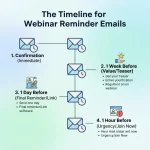
- Strengthen your reminder sequence. A well-timed series of reminder emails is one of the most reliable levers for improving show-up rate.
- Build interaction into the session itself. Polls, live Q&A, and direct audience prompts increase engagement scores and give you richer signal for lead qualification afterward.
- Follow up fast and specifically. Attendees who receive a relevant, timely follow-up convert to MQL at meaningfully higher rates than those who receive a generic “thanks for attending” email days later.
- Review revenue data by topic. Once revenue-level tracking is in place, sort past webinars by revenue per attendee to identify which topics and formats deserve more investment going forward.
- Test one variable at a time. Whether it’s registration page copy, reminder cadence, or follow-up timing, changing multiple variables at once makes it impossible to know which change actually moved your conversion numbers.
- Close the loop with sales. Ask sales teams directly which webinar-sourced leads felt genuinely qualified versus which felt like a poor fit — this qualitative feedback often surfaces issues that pure conversion-rate data misses, such as a webinar attracting the wrong seniority level despite strong numeric performance.
Conclusion
Webinar conversion tracking is what separates a program you can genuinely evaluate from one you’re mostly just hoping is working. Registration numbers alone can look impressive while hiding a program that never actually converts into pipeline, which is exactly why tracking needs to follow every stage — attendance, engagement, MQL, opportunity, and ultimately revenue — rather than stopping at the easiest number to report.
Getting this right takes clean integration between your webinar platform, marketing automation, and CRM, plus the discipline to track engagement and revenue data as carefully as registration counts. Teams that build this out stop debating whether their webinar program is worth the investment, and start using real conversion data to decide which topics, formats, and follow-up strategies deserve more budget going forward.
None of this requires a complete rebuild of your marketing stack. Most teams already own the tools needed to track every stage of this funnel — what’s usually missing is the discipline to wire registration, attendance, engagement, and CRM data together consistently, and the habit of reviewing conversion data by segment rather than settling for one blended number. Start with whichever stage of the funnel is currently the biggest blind spot, fix that connection first, and expand from there rather than trying to perfect the entire pipeline at once. Even fixing just one broken handoff — say, attendance data finally syncing reliably to your CRM — often produces a noticeably clearer picture of program performance within a single quarter.
Frequently Asked Questions About Webinar Conversion Tracking
1. What Is Webinar Conversion Tracking?
Webinar conversion tracking is the process of measuring how registrants move through each stage of the funnel, including attendance, engagement, MQLs, opportunities, and revenue, rather than simply counting sign-ups.
2. Why Isn’t Registration Count a Good Measure of Webinar Success?
Registration count measures only top-of-funnel interest. It does not reveal attendance, engagement, or whether registrants eventually convert into qualified leads, pipeline, or revenue.
3. What’s a Good Webinar Show-Up Rate?
Live webinar show-up rates commonly range between 35% and 50% of registrants, although highly targeted or invite-only events may achieve higher attendance than broadly promoted webinars.
4. How Is Engagement Measured During a Webinar?
Engagement is typically measured through poll responses, chat participation, questions asked, and total time watched during both live and on-demand sessions.
5. What Tools Are Needed for Reliable Webinar Conversion Tracking?
A webinar platform, marketing automation tool, and CRM that integrate cleanly are usually sufficient for reliable conversion tracking without necessarily requiring dedicated attribution software.
6. How Do I Connect Webinar Attendance to Revenue?
Attendee records should be linked through Campaign Member and Opportunity Contact Role structures in your CRM so that closed-won revenue can be traced back to specific webinars.
7. Should On-Demand Viewers Be Tracked the Same Way as Live Attendees?
Yes. On-demand and replay viewers can still convert, so they should be tracked with appropriate engagement measurements and follow-up processes just like live attendees.
8. What’s the Most Common Mistake in Webinar Conversion Tracking?
Stopping measurement at registration or attendance is a common limitation. Tracking engagement, MQL conversion, opportunities, and revenue provides a more complete view of webinar performance.
9. How Often Should Webinar Conversion Data Be Reviewed?
Reviewing conversion data after each webinar and analyzing results in aggregate quarterly can help identify which topics, formats, and promotional strategies perform consistently over time.
10. Does Webinar Format Affect Conversion Rates?
Yes. Interactive and narrowly targeted formats can encourage stronger engagement and may produce higher MQL conversion rates than broad, passive, one-way presentations.
11. How Does Webinar Conversion Tracking Relate to Attribution?
Conversion tracking measures the funnel stages themselves, while attribution determines how much credit the webinar receives compared with other touchpoints throughout the buyer’s journey.
12. Can Small Teams Implement Full-Funnel Webinar Conversion Tracking?
Yes. Even without enterprise tools, a well-configured marketing automation platform and CRM integration can support full-funnel tracking from registration and attendance through to MQLs, opportunities, and revenue.













No Comments