


Webinar reminder emails help turn registrations into actual attendees by reminding people about the event, reinforcing its value, and making it easy to join. A well-planned reminder sequence should include clear timing, strong subject lines, calendar links, personalization, and a simple call to action.
Getting people to register for a webinar is only the first step. The real challenge is getting those registrants to attend when the event actually begins.
People register days or even weeks before a webinar. By the time the event arrives, their priorities may have changed, meetings may have appeared on their calendars, or they may simply have forgotten about the session. This is where webinar reminder emails become essential.
A strategic reminder sequence keeps the webinar fresh in the registrant’s mind and removes the friction that can prevent attendance. Instead of sending one generic “Don’t forget” message, marketers can create a series of timely emails that remind attendees about the event, reinforce the value of attending, and provide an easy way to join.
For a broader understanding of webinar communication, you can also explore our guide to Master Webinar Email Sequences.
In this guide, you’ll learn how to create effective webinar reminder emails, when to send them, what to include, subject line ideas, templates, common mistakes, and ways to improve attendance.
What Are Webinar Reminder Emails?
Webinar reminder emails are messages sent to registered participants before a scheduled webinar to remind them about the upcoming event.
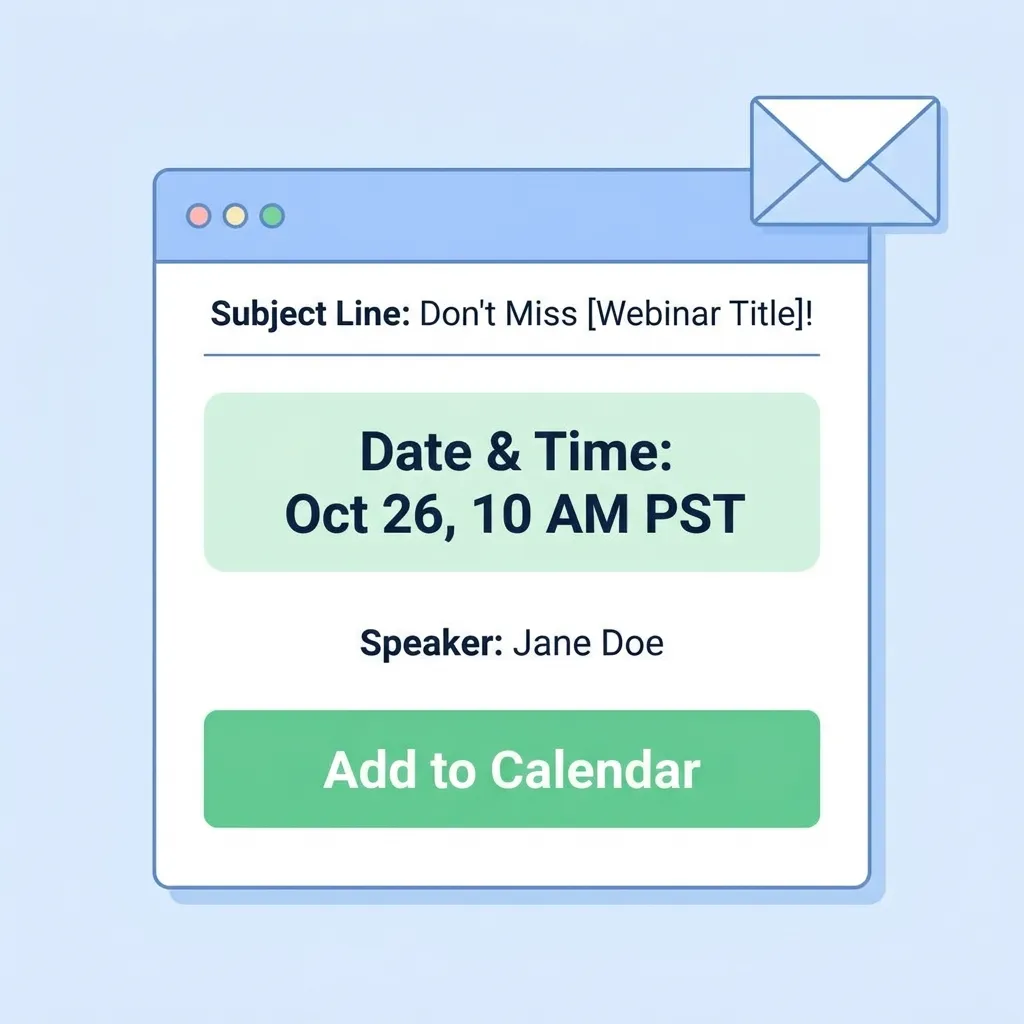
A good reminder email typically includes:
- Webinar title
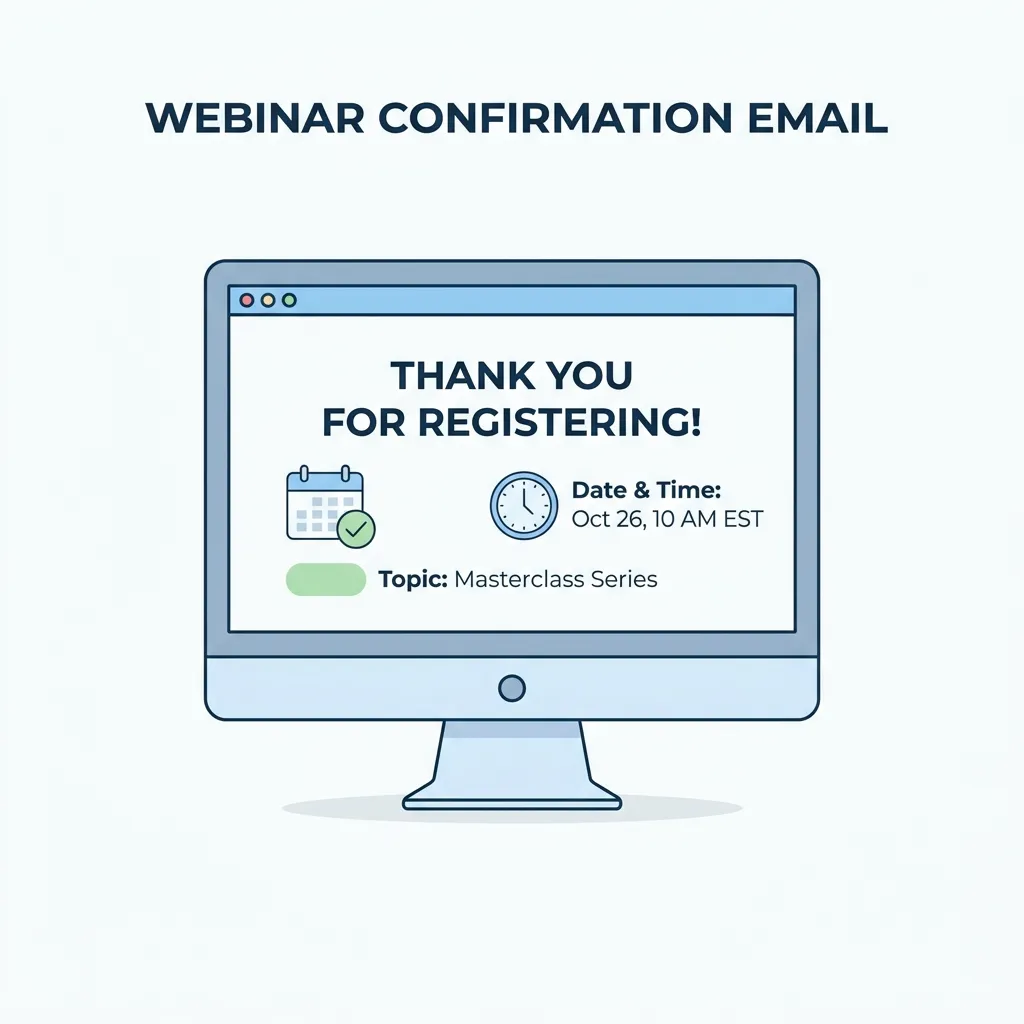
- Date and time
- Time zone
- Speaker information
- Key benefits or learning outcomes
- Join link
- Add-to-calendar option
- A clear call to action
- Important preparation instructions
The purpose is not simply to remind someone that they registered. The purpose is to make attending the webinar as easy and valuable as possible.
For example, an early reminder might focus on what attendees will learn, while a one-hour reminder should prioritize the join link and start time.
Why Webinar Reminder Emails Matter
A registration does not guarantee attendance.
People often have good intentions when they register but fail to attend because they forget the date, become busy, or cannot quickly find the webinar link.
Effective webinar reminder emails solve these problems.
1. They Reduce Forgetfulness
Registrants may sign up several days before the event. A reminder puts the webinar back in front of them at the right time.
2. They Reinforce the Value
A reminder should answer:
“Why should I still attend this webinar?”
Mentioning specific takeaways, expert insights, live Q&A opportunities, or exclusive resources can increase perceived value.
3. They Reduce Friction
If attendees have to search through their inbox to find the webinar link, some will simply give up.
A prominent Join Webinar button makes the next step obvious.
4. They Improve the Attendee Experience
Clear information about the event time, platform, speaker, agenda, and preparation requirements creates a smoother experience before the webinar even starts.
5. They Support Higher Attendance
A consistent reminder sequence keeps registered users engaged between registration and the live event.
How Many Webinar Reminder Emails Should You Send?
There is no universal number that works for every audience.
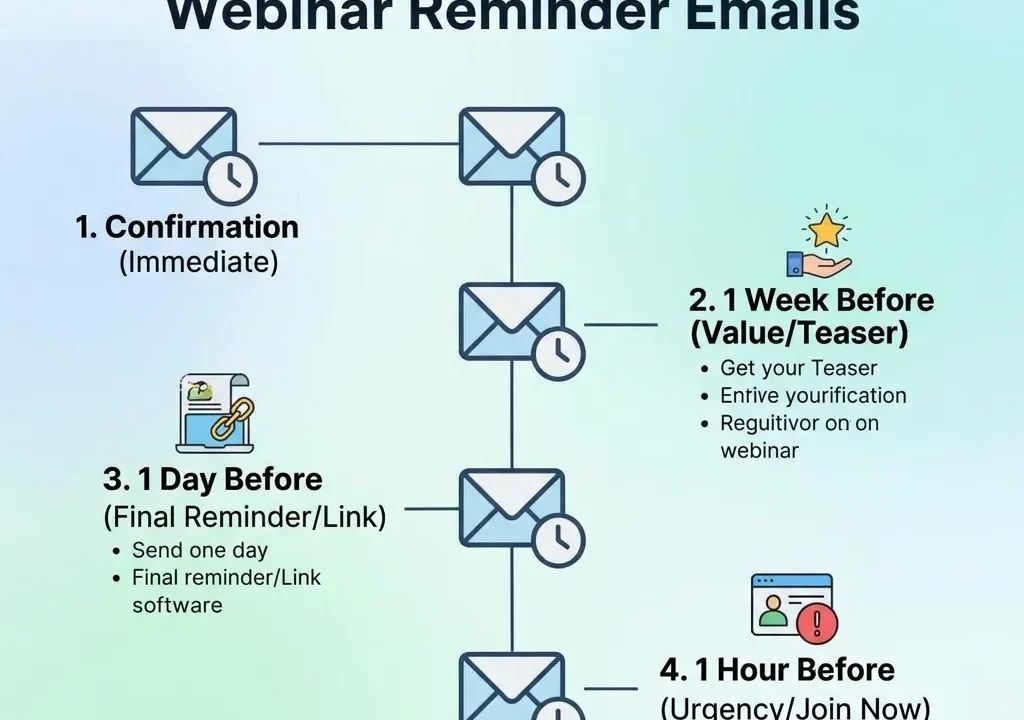
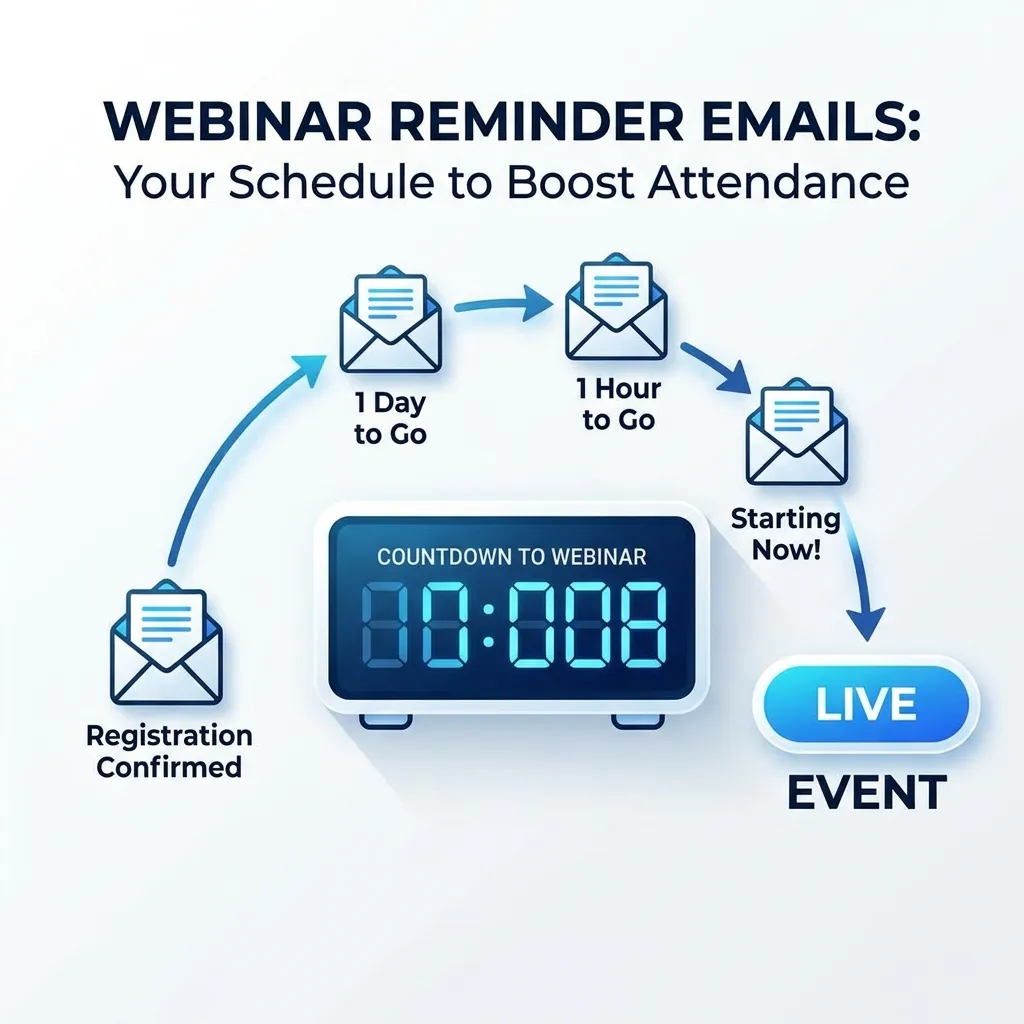
However, a practical approach is to use three to four reminders, with each email serving a different purpose.
| Timing | Main Purpose | Primary Message |
|---|---|---|
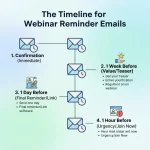
| 1 week before | Re-engagement | Why the webinar is worth attending |
| 1–2 days before | Preparation | Confirm details and expectations |
| 1 hour before | Action | Make joining easy |
| At start time | Urgency | The webinar is live |
For smaller webinars, three emails may be enough. For larger B2B events, a four-touch sequence can provide additional opportunities to bring registrants back.
Avoid sending multiple emails that contain exactly the same information. Each reminder should add something useful.
The Best Webinar Reminder Email Sequence
A successful reminder strategy is more than sending random emails.
Each message should have a specific job.
1. One Week Before the Webinar
The first reminder should rebuild excitement.
At this point, the webinar is still several days away, so the focus should be on value rather than urgency.
Include:
- Webinar title
- Date and time
- Speaker
- Main topic
- 3–5 key takeaways
- Add-to-calendar link
- Preparation instructions
Example
Subject: Your upcoming webinar: What you’ll learn
Hi [First Name],
Your webinar is coming up soon.
During the session, you’ll discover:
- How to improve webinar attendance
- Practical engagement strategies
- Ways to reduce attendee drop-off
- Techniques for creating a better webinar experience
Date: [Date]
Time: [Time + Time Zone]
Add the event to your calendar so you don’t miss it.
CTA: Add to Calendar
2. One or Two Days Before
The second reminder should focus on clarity.
At this stage, the registrant already knows about the webinar. You don’t need to repeat the entire promotional message.
Instead, remind them:
- When the webinar starts
- Where it will take place
- What they will learn
- Who will be presenting
- What they should prepare
- How to join
This is also a good time to mention live Q&A, downloadable resources, worksheets, or other exclusive benefits.
For more attendance-focused strategies, see How to Drive Webinar Attendance and Engagement.
3. One Hour Before
The one-hour reminder should be short.
Do not overload the email with information.
The most important elements are:
Starts in 1 hour → Join link → One key benefit
For example:
Your webinar starts in 1 hour.
Join us to discover practical strategies for increasing webinar engagement and attendance.
Start time: 2:00 PM EST
Join: [Webinar Link]
See you soon!
This email should be easy to scan on a smartphone.
4. At Start Time
The final reminder is extremely simple.
You don’t need a long introduction.
Subject: We’re Live — Join the Webinar Now
The email should immediately communicate:
- The webinar is live
- The join link
- A short reason to join
For example:
We’re live!
Join now to hear practical strategies, examples, and expert insights.
Join the Webinar →
The closer you get to the start time, the shorter your email should become.
What Should Every Webinar Reminder Email Include?
Not every reminder needs every possible element, but several components should appear consistently.
1. Clear Webinar Title
The recipient should immediately understand which event the email is about.
Avoid vague messaging such as:
“Don’t forget!”
Instead use:
“Your Webinar Starts Tomorrow: B2B Lead Generation Strategies”
2. Exact Date and Time
Always provide the date and time.
If your audience is international, include the relevant time zone.
For example:
September 15, 2026 — 2:00 PM EDT
This prevents confusion and reduces missed sessions.
3. Prominent Join Link
The join button should be easy to find.
Good CTA examples include:
- Join the Webinar
- Join Now
- Watch Live
- Enter the Webinar
- Join the Live Session
Avoid burying the link at the bottom of a long email.
4. Add-to-Calendar Option
Calendar integration gives attendees another reminder outside their inbox.
Consider providing:
- Google Calendar
- Outlook Calendar
- Apple/iCal
- ICS download
The calendar event should contain the webinar title, date, time, time zone, and join link.
5. Key Takeaways
Tell people what they will gain from attending.
Instead of saying:
“Join our webinar about digital marketing.”
Say:
“You’ll learn how to build a repeatable webinar funnel, increase attendance, and turn attendees into qualified leads.”
Specific benefits are more persuasive than generic descriptions.
6. Speaker Information
A short speaker introduction can build credibility.
Include:
- Name
- Job title
- Area of expertise
- Relevant achievement
Avoid writing a long biography.
One or two sentences are usually enough.
7. One Primary CTA
A reminder email should have one main action.
For example:
Join the Webinar
You can include supporting links, but don’t give the recipient five competing actions.
How to Write Better Webinar Reminder Email Subject Lines
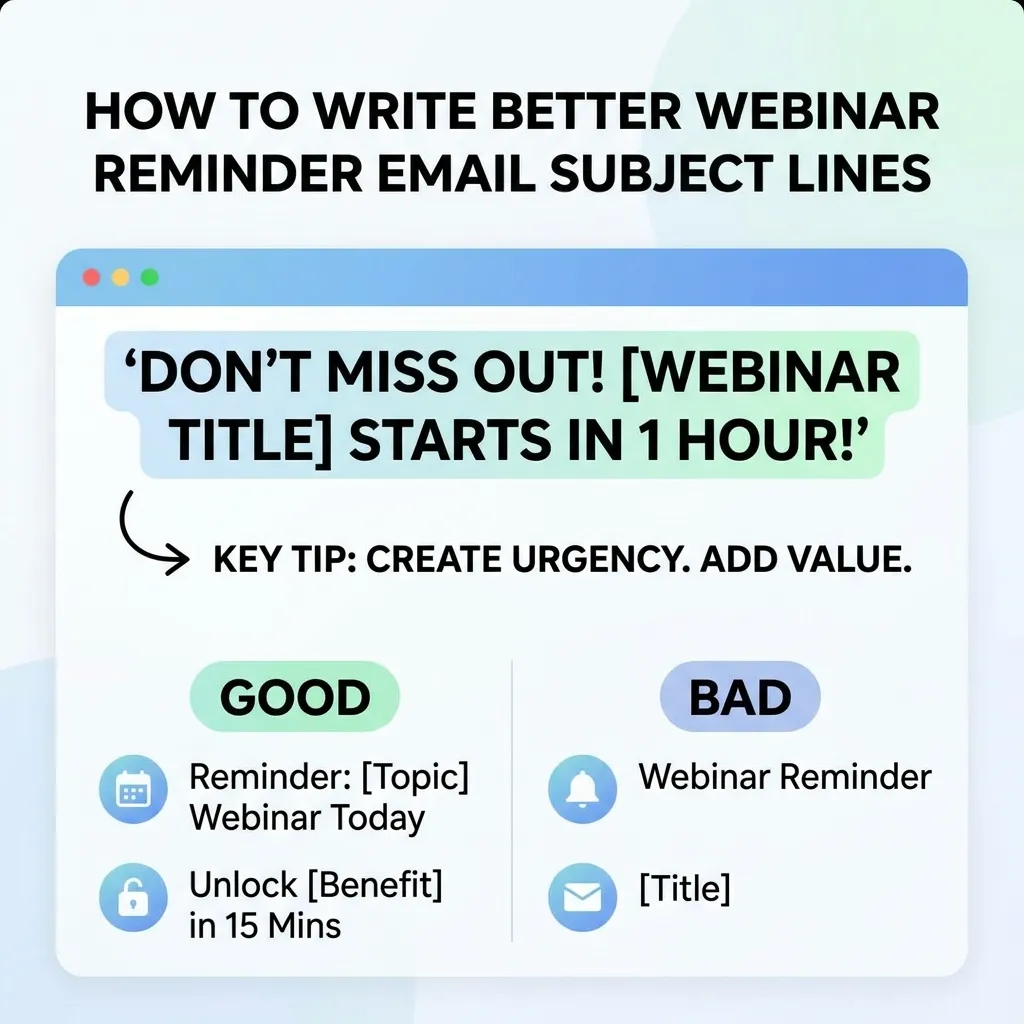
The subject line determines whether people notice your reminder.
Good webinar reminder subject lines are:
- Clear
- Specific
- Short
- Relevant
- Timely
- Benefit-focused
Subject Line Ideas
- Your webinar is tomorrow — here’s your join link
- Reminder: Your webinar starts tomorrow
- We’re going live tomorrow — save your seat
- Your webinar starts in 1 hour
- We’re live — join the webinar now
- [Reminder] Your webinar details inside
- Don’t miss tomorrow’s live webinar
- Your webinar starts soon
- Ready for tomorrow’s webinar?
- Join us live today at [Time]
- Your seat is waiting — webinar starts tomorrow
- Starting soon: [Webinar Name]
- Match the subject line to the timing of the email.
- A one-week reminder can emphasize the topic.
- A one-hour reminder should emphasize immediacy.
Personalization in Webinar Reminder Emails
Personalization can make reminder emails feel more relevant.
Instead of:
“Hello attendee,”
use:
“Hi Sarah,”
You can also personalize based on:
- Job role
- Industry
- Company
- Registration source
- Previous webinar activity
- Content interests
- Customer stage
For example:
Hi [First Name],
As a marketing manager, you’ll discover three practical ways to improve webinar attendance without increasing your advertising budget.
The key is to make personalization useful rather than simply inserting a person’s name.
For additional email personalization ideas, see Guide to Emotional Triggers for Email Marketing.
Use Urgency Without Becoming Spammy
Urgency can encourage people to take action, but exaggerated urgency can damage trust.
Good urgency is factual:
- Starts tomorrow
- Starts in one hour
- We’re live now
- Live Q&A begins shortly
- Bring your questions
Avoid:
- LAST CHANCE!!!
- YOU WILL REGRET MISSING THIS!!!
- ACT NOW OR ELSE!!!
- FINAL FINAL FINAL REMINDER!!!
Your goal is to make the timing clear, not to pressure the recipient.
Mobile Optimization for Webinar Reminder Emails
Many people will open the final reminder shortly before the webinar begins, often from a smartphone.
Your email should therefore be easy to scan.
Follow these mobile-friendly practices:
- Use short paragraphs
- Keep the CTA visible
- Use large clickable buttons
- Avoid huge blocks of text
- Put essential information near the top
- Make links easy to tap
- Use readable font sizes
- Avoid putting critical information inside images
The one-hour and start-time reminders should be especially short.
Webinar Reminder Email Templates
Template 1: One-Day Reminder
Subject: Your webinar is tomorrow — here’s what to expect
Hi [First Name],
Just a quick reminder that [Webinar Name] is happening tomorrow.
Date: [Date]
Time: [Time + Time Zone]
During the webinar, you’ll learn:
- [Key takeaway 1]
- [Key takeaway 2]
- [Key takeaway 3]
You’ll also have the opportunity to ask questions during the live Q&A.
[Join the Webinar]
Add the event to your calendar and we’ll see you tomorrow!
Best,
[Name]
Template 2: One-Hour Reminder
Subject: Your webinar starts in 1 hour
Hi [First Name],
We’re starting in just 1 hour.
[Webinar Name]
[Time + Time Zone]
You’ll learn [main benefit].
[Join the Webinar Now]
Have your questions ready—we’ll see you inside!
Template 3: Starting-Now Reminder
Subject: We’re live — join now
Hi [First Name],
We’re live!
Join [Webinar Name] now to get practical insights on [topic].
[Join the Webinar]
See you inside!
Common Webinar Reminder Email Mistakes
Even a well-planned reminder strategy can fail if the emails create friction.
1. Sending Only One Reminder
A single reminder may not be enough because registrants can forget about the event.
Create a sequence instead.
2. Repeating the Same Email
Sending the exact same message several times makes your communication feel automated and unhelpful.
Give every reminder a different purpose.
3. Hiding the Join Link
The join link should be one of the easiest things to find.
4. Forgetting the Time Zone
International audiences need clear time-zone information.
5. Writing Too Much
A reminder email isn’t a blog post.
Especially on the day of the webinar, keep your copy concise.
6. Using Weak CTAs
“Click here” is less useful than:
Join the Webinar Now
7. Ignoring Mobile Users
A complicated desktop design may become frustrating on a phone.
8. Overusing Urgency
Too many “last chance” messages can make your audience tune out.
9. Not Testing Links
A broken webinar link can turn interested registrants into no-shows.
Always test your CTA and calendar links before scheduling the campaign.
How to Automate Webinar Reminder Emails
Manual reminder emails create unnecessary work and increase the possibility of mistakes.
Automation allows you to build the sequence once and trigger each message based on the webinar date.
A basic automated workflow might look like this:
Registration → Confirmation → 1-Week Reminder → 1-Day Reminder → 1-Hour Reminder → Start-Time Reminder → Follow-Up
Automation can also help segment people based on behavior.
For example:
- Registered but never opened an email
- Opened but didn’t click
- Clicked the join link
- Attended the webinar
- Registered but didn’t attend
Marketing automation can help coordinate scheduled email campaigns, audience segmentation, and engagement tracking. A useful related resource is Marketing Automation Mobile Apps.
How to Measure Webinar Reminder Email Performance
Sending reminder emails is only the beginning.
You need to measure whether they actually improve attendance.
Important metrics include:
| Metric | What It Tells You |
|---|---|
| Open Rate | How many recipients opened the email |
| Click-Through Rate | How many clicked the CTA |
| Join Rate | How many joined after receiving the reminder |
| Attendance Rate | Percentage of registrants who attended |
| No-Show Rate | Percentage who registered but didn’t attend |
| Engagement Rate | How actively attendees participated |
| Conversion Rate | How many attendees completed the desired action |
For deeper webinar measurement, you can also review The Complete Guide to Webinar Success Metrics.
How to Improve Webinar Reminder Emails Over Time
Don’t assume your first sequence is perfect.
Use performance data to improve it.
Test Different Subject Lines
Compare:
“Reminder: Webinar Tomorrow”
with:
“Tomorrow: Learn 5 Ways to Increase Webinar Attendance”
Test Send Times
Your audience may respond differently to morning, afternoon, or evening reminders.
Test CTA Copy
Compare:
- Join Webinar
- Join Now
- Watch Live
- Reserve My Spot
Test Personalization
Compare personalized and generic messaging.
Analyze No-Shows
If many people click the reminder but don’t attend, investigate whether the problem is related to timing, technical friction, or the webinar experience itself.
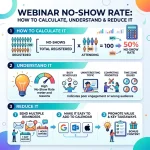
You can calculate your no-show rate using Webinar No-Show Rate: How to Calculate.
Webinar Reminder Emails: Best Practices Checklist
Before scheduling your campaign, check the following:
- Webinar title is clear
- Date is correct
- Time is correct
- Time zone is included
- Join link works
- Calendar link works
- Speaker details are accurate
- Benefits are clearly explained
- CTA is obvious
- Email works on mobile
- Subject line is specific
- Personalization is correct
- Reminder timing is appropriate
- Links have been tested
- Automation triggers are working
This checklist can help prevent simple mistakes that cause unnecessary no-shows.
Conclusion
Effective webinar reminder emails turn registration intent into actual attendance by keeping your audience informed, engaged, and ready to join.
The strongest strategy is not to send as many emails as possible. Instead, create a purposeful sequence where every reminder has a specific role. Use an early message to reinforce value, a day-before email to confirm details, a one-hour reminder to remove friction, and a short start-time message to create immediate action.
Keep your subject lines clear, include the exact date and time zone, place the join link where people can easily find it, provide calendar options, personalize the message when useful, and optimize every reminder for mobile users.
Most importantly, measure the results. Track opens, clicks, attendance, no-shows, and conversions so you can continuously improve your reminder sequence.
When registration, reminders, attendance, engagement, and follow-up work together, email becomes one of the most valuable tools for turning webinar registrations into meaningful business outcomes.
FAQs About Webinar Reminder Emails
1. What are webinar reminder emails?
Webinar reminder emails are messages sent to people who registered for a webinar before the event. They remind recipients about the date, time, topic, and joining instructions.
2. How many webinar reminder emails should I send?
Three to four reminders are a practical starting point: one several days before, one a day or two before, one about an hour before, and optionally one when the webinar begins.
3. When should I send the first webinar reminder?
A first reminder can be sent about a week before the event, particularly for webinars where people register well in advance.
4. Should I send a reminder one hour before the webinar?
Yes. A one-hour reminder is useful because it gives registrants a final prompt while making the join process easy.
5. What should the webinar reminder email subject line say?
The subject line should clearly communicate the webinar and its timing. Examples include “Your webinar starts tomorrow” or “Your webinar starts in 1 hour.”
6. Should webinar reminder emails include a calendar link?
Yes. Calendar links make it easier for registrants to reserve time for the webinar and access event details later.
7. Should I personalize webinar reminder emails?
Yes. Personalization can make the message more relevant. Use names, job roles, interests, or other useful audience information when appropriate.
8. Should I include the webinar join link in every reminder?
It is generally useful to make the join link easy to find in every reminder, particularly in the final emails.
9. How long should a webinar reminder email be?
Early reminders can contain more context, but final reminders should be short and highly scannable. The closer the webinar gets, the more concise the email should become.
10. What is the best CTA for a webinar reminder?
Strong CTAs include “Join the Webinar,” “Join Now,” “Watch Live,” and “Join the Live Session.” Choose one primary action.
11. Can webinar reminder emails be automated?
Yes. Webinar platforms, email marketing systems, and marketing automation tools can schedule reminders based on registration and event timing.
12. How do webinar reminder emails reduce no-shows?
They reduce no-shows by keeping the event visible, reinforcing its value, providing the correct event details, and making it easy for registrants to join at the right time.







No Comments