


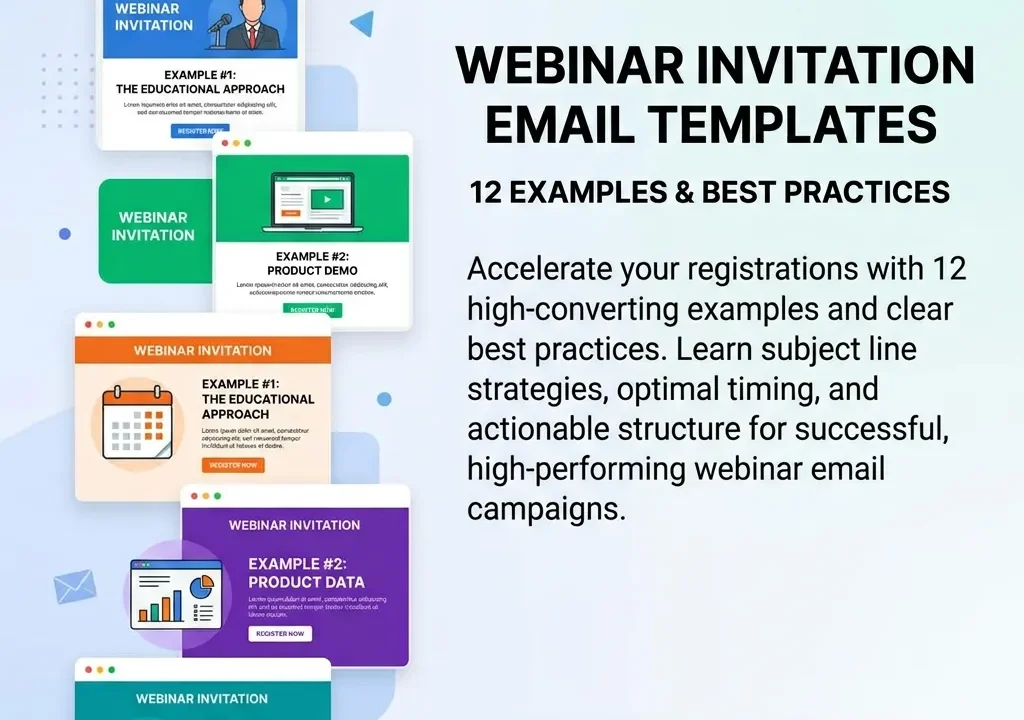
Webinar invitation email templates help marketers promote online events, communicate the value of attending, and turn email subscribers into registered participants. A strong invitation should have a compelling subject line, clear event details, audience-focused benefits, persuasive copy, and a prominent call to action. This guide provides practical webinar invitation email templates for different situations, including first announcements, speaker-focused invitations, last-chance reminders, personalized invitations, B2B webinars, and follow-up campaigns.
What Are Webinar Invitation Email Templates?
Webinar invitation email templates are pre-structured email formats that businesses can customize to promote an upcoming webinar and encourage people to register.
Instead of writing every invitation from scratch, marketers can use a template as a starting point and customize important details such as:
- Webinar topic
- Date and time
- Speaker information
- Key benefits
- Registration link
- Audience segment
- Call to action
- Brand messaging
A good template saves time while helping maintain consistency across an email campaign.
However, simply copying the same email for every webinar may not produce the best results. Your invitation should be adapted to the audience, webinar topic, buying stage, and reason why someone should attend.
Why Webinar Invitation Emails Matter
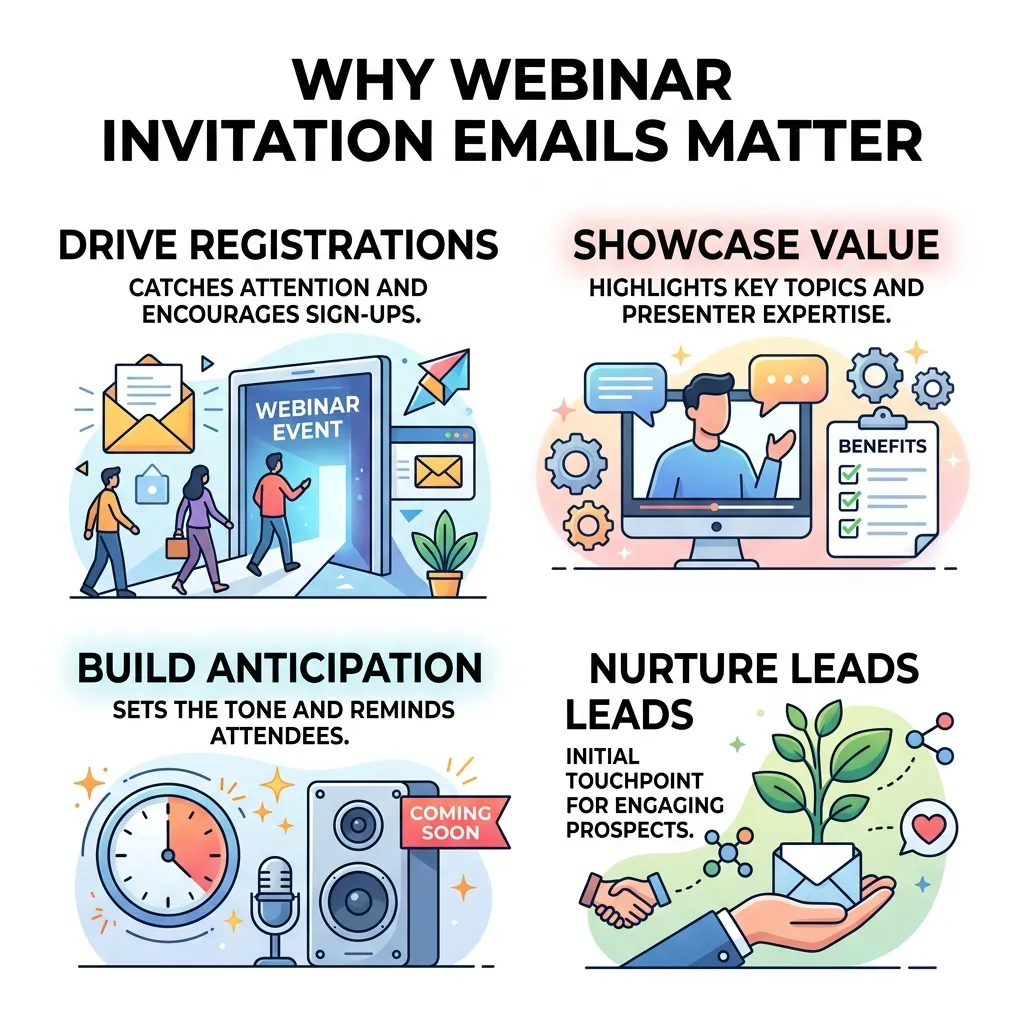
Email remains an important channel for webinar promotion because it provides a direct way to communicate with an existing audience.
A well-written invitation can help you:
- Increase webinar registrations
- Build anticipation
- Explain the value of the event
- Highlight speakers
- Generate qualified leads
- Re-engage subscribers
- Increase attendance
- Strengthen relationships with prospects
- Support webinar conversion goals
Your webinar invitation should not only announce that an event exists. It should answer the reader’s most important question:
“Why should I spend my time attending this webinar?”
That means the email needs to focus on the audience’s problem and the value they will receive from attending.
For a broader promotional strategy, you can also explore these webinar marketing strategies.
Essential Elements of a Webinar Invitation Email
Before looking at the templates, understand the elements that make an invitation effective.
1. Compelling Subject Line
The subject line determines whether many recipients will open your email or ignore it.
A strong subject line should be:
- Clear
- Concise
- Relevant
- Specific
- Action-oriented
- Appropriate for the audience
Examples include:
- Join Our Live Webinar on [Topic]
- Learn How to [Achieve Desired Result]
- You’re Invited: [Webinar Name]
- Free Webinar: [Topic]
- Save Your Seat for [Webinar Title]
- Don’t Miss Our Upcoming [Industry] Webinar
Avoid misleading subject lines. For commercial email, the U.S. Federal Trade Commission states that subject lines must not be deceptive, and commercial messages have additional requirements regarding identification and opt-out mechanisms.
2. Clear Webinar Details
Make important information easy to find.
Include:
- Webinar title
- Date
- Time
- Time zone
- Duration
- Speaker
- Registration information
- Format
- Key benefits
Do not force readers to search through a long paragraph to find the date or registration button.
3. Audience-Focused Benefits
Instead of simply saying “Join our webinar,” explain what attendees will learn.
For example:
Weak:
“Join our webinar about digital marketing.”
Stronger:
“Learn three practical ways to reduce customer acquisition costs and improve your digital marketing performance.”
The second version communicates a specific benefit.
4. Strong Call to Action
Your CTA should tell readers exactly what to do.
Examples include:
- Register Now
- Reserve Your Spot
- Save My Seat
- Join the Webinar
- Claim Your Free Spot
- Register for Free
Use one primary CTA rather than giving readers too many competing options.
5. Personalization
Personalization can make an invitation feel more relevant.
Depending on your data and email platform, you can personalize:
- Name
- Industry
- Job role
- Previous webinar attendance
- Content interests
- Customer status
- Previous interactions
Segmentation and personalization are useful because different audience groups may care about different benefits.
Mailchimp recommends concise subject lines, personalization, segmentation, clear event details, strong CTAs, and testing as part of effective event invitation campaigns.
12 Webinar Invitation Email Templates

The following webinar invitation email templates can be customized for different campaigns and audience segments.
Template 1: General Webinar Invitation
This is a simple option for announcing an upcoming webinar to your existing audience.
Subject: You’re Invited: [Webinar Topic]
Hi [First Name],
Are you looking for practical ways to [solve problem or achieve result]?
Join us for our upcoming webinar, “[Webinar Title],” where [Speaker Name], [Speaker Role], will share practical insights and strategies you can apply to your business.
Webinar Details:
- Date: [Date]
- Time: [Time + Time Zone]
- Duration: [Duration]
- Format: Online
You’ll learn:
- [Key takeaway 1]
- [Key takeaway 2]
- [Key takeaway 3]
Reserve your spot today and join us live.
[Register Now]
We look forward to seeing you there!
Best,
[Name]
[Company]
Template 2: Educational Webinar Invitation
Use this template when the webinar focuses primarily on teaching.
Subject: Learn How to [Desired Outcome] in Our Free Webinar
Hi [First Name],
Want to learn how to [specific outcome]?
We’re hosting a live webinar designed to help [target audience] understand [topic] and put proven strategies into practice.
During the session, you’ll discover:
- How to [benefit]
- Why [important issue] matters
- Practical ways to [result]
- Common mistakes to avoid
Date: [Date]
Time: [Time]
Speaker: [Speaker Name]
Seats are available now.
[Reserve Your Spot]
Don’t miss this opportunity to learn directly from [Speaker/Expert].
Best,
[Company]
Template 3: Speaker-Focused Invitation
A recognizable speaker can be a strong reason to register.
Subject: Meet [Speaker Name] in Our Upcoming Webinar
Hi [First Name],
We’re excited to invite you to an upcoming webinar featuring [Speaker Name], [Title/Company].
During “[Webinar Title],” [Speaker Name] will discuss:
- [Topic 1]
- [Topic 2]
- [Topic 3]
You’ll also have an opportunity to [ask questions/participate in Q&A/learn from real examples].
When: [Date and Time]
Where: Online
[Register for the Webinar]
Save your seat today.
Best,
[Company]
Template 4: Problem-Solution Webinar Invitation
This template works well when your audience has a clearly defined pain point.
Subject: Struggling With [Problem]? Join Our Free Webinar
Hi [First Name],
Many [target audience] struggle with [specific problem].
That’s why we’re hosting “[Webinar Title].”
In this live session, you’ll learn practical ways to:
- Identify the causes of [problem]
- Avoid common mistakes
- Improve [desired outcome]
- Build a more effective approach
The session is designed for [audience].
Date: [Date]
Time: [Time]
Duration: [Duration]
Ready to solve [problem]?
[Register Now]
See you at the webinar!
[Name]
Template 5: B2B Webinar Invitation
For B2B audiences, emphasize business outcomes rather than generic event excitement.
Subject: How [Target Audience] Can Improve [Business Outcome]
Hi [First Name],
What if your team could [desired business result] without [common challenge]?
Join our upcoming B2B webinar, “[Title],” for an in-depth discussion about [topic].
You’ll discover:
- Strategies for [business outcome]
- Ways to improve [metric]
- Practical examples from the industry
- Common challenges and solutions
Date: [Date]
Time: [Time + Time Zone]
Reserve your place today.
[Register for Free]
Best,
[Name]
[Job Title]
[Company]
Template 6: Product Webinar Invitation
This works well for product demonstrations, software webinars, and feature-focused events.
Subject: See How [Product] Can Help You [Outcome]
Hi [First Name],
Want to see how [Product] can help you [specific outcome]?
Join our live product webinar where we’ll demonstrate how [Product] works and explain how you can use it to [benefit].
You’ll see:
- [Feature 1]
- [Feature 2]
- [Feature 3]
- Real-world use cases
We’ll also answer your questions during the live Q&A.
[Save My Seat]
Date: [Date]
Time: [Time]
See you there!
[Company]
Template 7: Personalized Webinar Invitation
A personalized invitation can be useful for segmented audiences.
Subject: [First Name], This Webinar May Help With [Challenge]
Hi [First Name],
Based on your interest in [topic/industry], we thought you’d find our upcoming webinar valuable.
We’re bringing together [speaker/expert] to discuss [Webinar Topic] and practical ways to [desired outcome].
You’ll learn:
- [Benefit 1]
- [Benefit 2]
- [Benefit 3]
Date: [Date]
Time: [Time]
We’d love to have you join us.
[Reserve Your Spot]
Best,
[Name]
Template 8: Early-Bird Webinar Invitation
Send this email early in your promotional sequence.
Subject: Save Your Seat for Our Upcoming Webinar
Hi [First Name],
Mark your calendar!
We’re hosting a live webinar on [Topic] on [Date].
You’ll learn how to:
- [Takeaway 1]
- [Takeaway 2]
- [Takeaway 3]
We’re opening registration early so you can save your spot before the event.
[Register Now]
We hope you’ll join us.
[Company]
Template 9: Last-Chance Webinar Invitation
A last-chance email creates urgency without changing the core value proposition.
Subject: Last Chance to Register for [Webinar Name]
Hi [First Name],
Our webinar “[Webinar Title]” is happening soon.
If you haven’t registered yet, now is the time.
You’ll learn:
- [Key benefit]
- [Key benefit]
- [Key benefit]
Date: [Date]
Time: [Time]
Registration closes soon.
[Reserve Your Spot]
We hope to see you live!
[Company]
Template 10: Webinar Reminder Email
Reminder emails can help reduce missed registrations.
Subject: Reminder: [Webinar Name] Is Tomorrow
Hi [First Name],
Just a quick reminder that [Webinar Title] is happening tomorrow.
Date: [Date]
Time: [Time + Time Zone]
Duration: [Duration]
During the session, we’ll cover:
- [Topic 1]
- [Topic 2]
- [Topic 3]
You can join using the access link below:
[Join the Webinar]
See you tomorrow!
[Company]
Template 11: One-Hour Webinar Reminder
Keep the final reminder short and action-focused.
Subject: We’re Going Live in 1 Hour
Hi [First Name],
We’re going live in one hour!
Join us for “[Webinar Title]” and learn [main benefit].
Starts: [Time + Time Zone]
Have your questions ready—we’ll have time for live Q&A.
[Join the Webinar]
See you soon!
[Name]
Template 12: Webinar Invitation for Previous Attendees
Previous attendees can be a valuable audience segment for future events.
Subject: You’re Invited to Our Next Webinar, [First Name]
Hi [First Name],
Thanks for joining us for our previous webinar.
We’d love to have you back for our next live session:
[Webinar Title]
This time, we’ll explore:
- [Topic 1]
- [Topic 2]
- [Topic 3]
If you found our previous session useful, you’ll want to join this one too.
Date: [Date]
Time: [Time]
[Register Now]
We hope to see you again!
[Company]
How to Create a Webinar Invitation Email Sequence
One invitation is rarely enough for an entire webinar campaign.
Instead, create a sequence that gradually builds awareness and urgency.
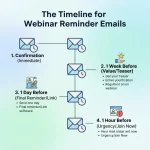
A simple sequence could include:
Email 1: Initial Announcement
Send the first invitation several days or weeks before the event.
Focus on:
- Webinar topic
- Main benefit
- Speaker
- Registration CTA
Email 2: Value Reminder
Explain what attendees will learn and why the session matters.
You can highlight a specific problem or question that the webinar will address.
Email 3: Speaker or Content Preview
Introduce the speaker or share a preview of an important topic that will be discussed.
Email 4: Last-Chance Reminder
Create urgency as registration or the event date approaches.
Email 5: Final Reminder
Send a short reminder shortly before the event with the joining information.
For additional guidance, see this resource on mastering webinar email sequences.
Best Practices for Webinar Invitation Emails
Keep the Email Focused
Avoid including every detail about your company, product, or webinar.
The email should move the reader toward one primary action: registration.
Make the Value Obvious
A recipient should quickly understand what they will gain by attending.
Use specific outcomes rather than vague phrases such as “valuable insights.”
Use One Primary CTA
Your CTA should be visible and easy to understand.
“Register Now” is generally clearer than vague phrases such as “Click Here.”
Optimize for Mobile
Many recipients will read the email on smartphones.
Use:
- Short paragraphs
- Readable fonts
- Clear buttons
- Adequate spacing
- Concise copy
- Mobile-friendly layouts
Use Segmentation
Different audiences may need different messages.
For example, you could create separate invitations for:
- Existing customers
- Prospects
- Previous attendees
- New subscribers
- Industry-specific audiences
- High-intent leads
Test Your Emails
Test different elements such as:
- Subject lines
- CTA wording
- Email length
- Personalization
- Images
- Send times
Mailchimp recommends testing email content and checking links and buttons before sending.
How to Improve Webinar Email Registration Rates
Getting someone to open your invitation is only the first step. The email must also convince them to register.
Match the Email With the Landing Page
The promise made in the email should match the registration page.
If the email promotes three specific takeaways, the landing page should reinforce those same benefits.
Reduce Friction
Don’t make registration unnecessarily complicated.
Ask only for information you genuinely need.
Highlight the Speaker
If the presenter has relevant experience, credentials, or recognizable expertise, make that visible.
Use Social Proof When Available
You can include:
- Previous attendee feedback
- Testimonials
- Number of attendees
- Recognized speakers
- Client examples
- Industry partnerships
Create Appropriate Urgency
Urgency can encourage action when it is genuine.
Examples include:
- Registration closes soon
- Webinar starts tomorrow
- Limited live Q&A availability
- Final registration reminder
Avoid creating false scarcity.
Webinar Invitation Email Mistakes to Avoid
Several mistakes can reduce registration and engagement.
Writing a Generic Email
“Join our webinar to learn more” does not give readers a compelling reason to attend.
Hiding the CTA
The registration button should be easy to find.
Overloading the Email
Too much text can make the invitation difficult to scan.
Ignoring Time Zones
If your webinar attracts an international audience, clearly state the time zone.
Sending Only One Email
A single announcement can easily be missed.
A structured sequence provides multiple opportunities for people to register.
Forgetting Compliance
Marketing emails should follow applicable email laws and platform requirements. For example, the FTC’s CAN-SPAM guidance covers requirements around accurate headers, non-deceptive subject lines, physical address information, and opt-out mechanisms for commercial email.
How to Measure Webinar Invitation Email Performance
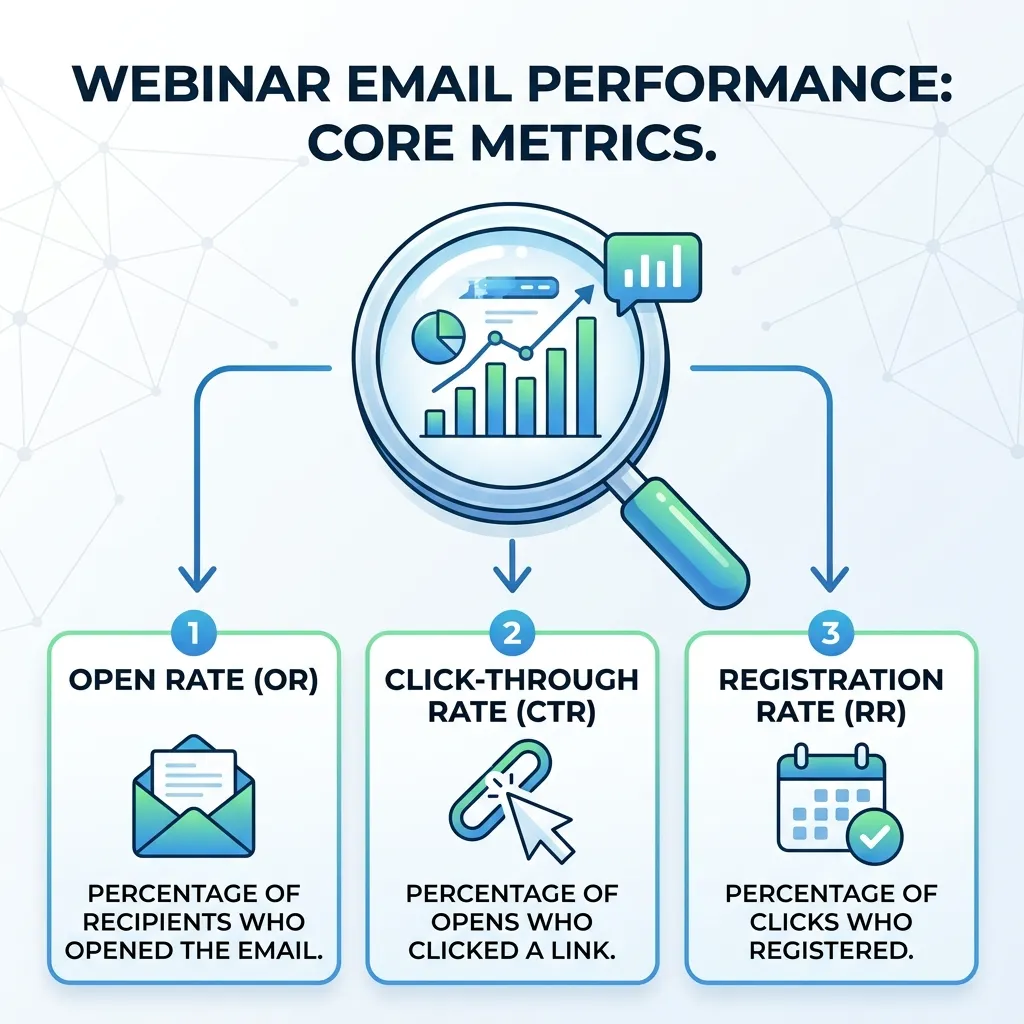
After sending your campaign, evaluate its performance using relevant metrics.
Important metrics include:
| Metric | What It Measures |
|---|---|
| Delivery Rate | How successfully emails reached recipients |
| Open Rate | How many recipients opened the email |
| Click-Through Rate | How many recipients clicked a link |
| Registration Rate | How many recipients registered |
| Conversion Rate | How effectively the email generated registrations |
| Unsubscribe Rate | How many recipients opted out |
| Attendance Rate | How many registrants actually attended |
Don’t evaluate an invitation based on one metric alone.
For example, a campaign can have a strong open rate but a weak registration rate. That could indicate that the subject line works but the email content or CTA needs improvement.
You can also analyze the full event funnel using webinar success metrics.
Conclusion
The right webinar invitation email templates can make webinar promotion faster, more consistent, and easier to scale. However, a template is only a starting point. The strongest invitations are customized around the audience, webinar topic, speaker, benefits, and campaign objective.
Start with a compelling subject line, communicate the value of attending, make the event details easy to scan, and use a clear registration CTA. Then build a sequence that includes the initial invitation, value-focused reminders, urgency messages, and final access information.
Personalization, segmentation, testing, and performance measurement can further improve your results. By combining reusable templates with audience-specific messaging and a well-planned promotion strategy, you can turn more email subscribers into webinar registrants and ultimately more engaged prospects and customers.
Frequently Asked Questions
1. What should a webinar invitation email include?
A webinar invitation should include a compelling subject line, webinar title, date, time, speaker, key benefits, brief description, and a clear registration CTA.
2. How do I write a good webinar invitation email?
Start with a relevant subject line, identify the audience’s problem, explain what they will learn, provide the essential event details, and finish with a clear registration CTA.
3. What is the best subject line for a webinar invitation?
The best subject line is specific and relevant to the audience. Examples include “Join Our Live Webinar on [Topic]” or “Learn How to [Desired Outcome].”
4. How many webinar invitation emails should I send?
There is no universal number. A campaign can include an initial announcement, value reminder, speaker preview, last-chance email, and final reminder depending on the event timeline and audience.
5. When should I send a webinar invitation email?
Send the first invitation well before the event and follow it with strategically timed reminders. The exact schedule should depend on your audience, event type, and promotional timeline.
6. Should I personalize webinar invitation emails?
Yes. Personalizing invitations by name, interests, industry, previous attendance, or behavior can make the message more relevant.
7. Should webinar invitations include a CTA?
Yes. A clear CTA such as “Register Now,” “Reserve Your Spot,” or “Save My Seat” tells recipients exactly what to do next.
8. How long should a webinar invitation email be?
Keep it concise enough to communicate the key information quickly. Focus on the event’s value, essential details, and registration action rather than unnecessary company information.
9. Can I use the same webinar invitation template for every audience?
You can use the same basic structure, but customize the message for different audience segments. Different groups may respond to different benefits and pain points.
10. Should I send reminder emails after someone registers?
Yes. Reminder emails can help registrants remember the event and make joining easier. Include the date, time, access details, and a clear join link.
11. How can I increase webinar registrations from email?
Improve your subject lines, communicate specific benefits, personalize your messages, use a strong CTA, segment your audience, optimize the registration experience, and test different email variations.
12. What metrics should I track for webinar invitation emails?
Track delivery rate, open rate, click-through rate, registration rate, conversion rate, unsubscribe rate, and eventually attendance rate to understand the full impact of your email campaign.






No Comments