


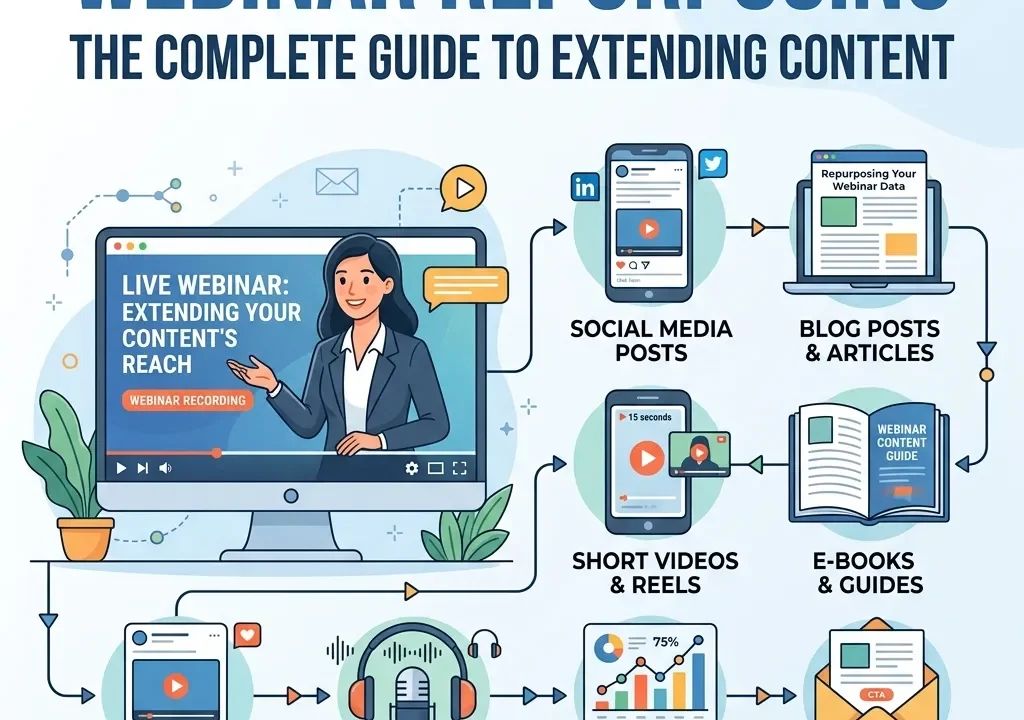
Webinar repurposing is the practice of taking a single live session and turning it into multiple pieces of content — blog posts, short video clips, email sequences, podcast episodes, and more — so the work that went into one hour of live content keeps generating value for months afterward. Most webinars get used exactly once, live, and then sit untouched in a recordings folder. This guide covers a complete framework for webinar repurposing across formats and channels, so every session pulls its full weight rather than delivering value for a single hour and nothing more.
A well-run webinar takes real effort — planning, promotion, rehearsal, and the live session itself — and most of that effort gets used exactly once. The recording gets emailed to registrants, maybe posted on a resources page, and then quietly forgotten while the team moves on to planning the next one. That’s a significant amount of value left on the table, since a single hour of genuinely useful content usually contains far more material than one email and one on-demand link can capture.
Webinar repurposing solves this by treating the live session as raw material for an entire content pipeline rather than a one-time event. This guide breaks down exactly how to extract that value systematically, which formats work best for which parts of a session, and how to build webinar repurposing into your process from the start rather than trying to retrofit it after the fact.
What Webinar Repurposing Actually Means
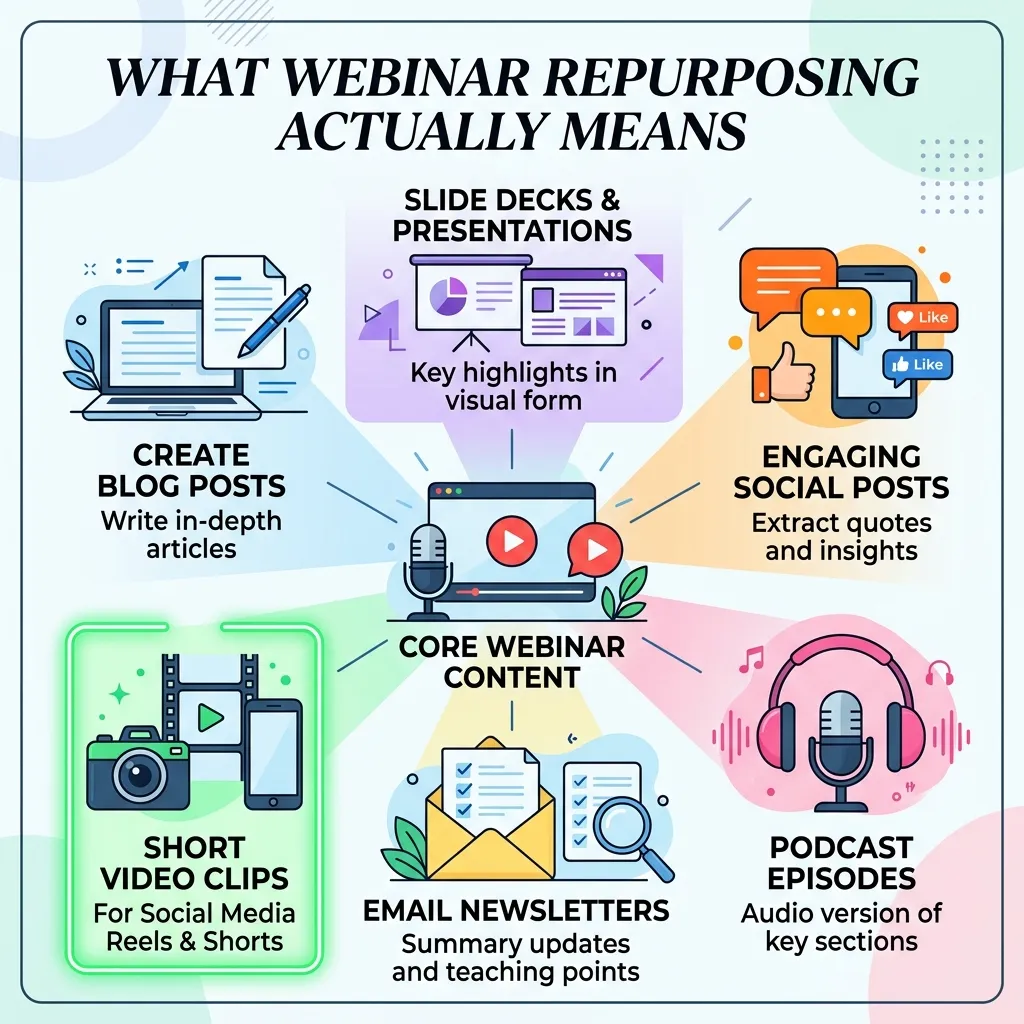
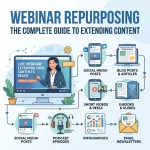
Webinar repurposing isn’t simply re-uploading the same recording to a different platform. It means breaking a webinar down into its component parts — key insights, standout quotes, visual moments, audience questions, data points — and rebuilding those parts into formats suited to entirely different audiences and channels. A single 45-minute session can reasonably become a blog post, five to ten short social clips, an email nurture sequence, a podcast episode, and a handful of quote graphics, each reaching people who would never have watched the full live recording in the first place.
The goal is reach and format-fit, not just volume. Someone scrolling social media in a spare moment isn’t going to sit through a 45-minute recording, but they might watch a 30-second clip that captures one sharp insight. Someone searching a specific question in Google isn’t looking for a video at all — they want a clear, skimmable answer, which is exactly what a well-written blog post derived from the session can provide.
Why Webinar Repurposing Matters
Treating a webinar as a single-use asset wastes most of the value already created during planning and delivery. A few concrete reasons webinar repurposing deserves a place in every program:
- It multiplies reach without multiplying production effort. The heaviest lift — planning content and running the live session — is already done. Webinar repurposing captures additional value from work that’s already paid for.
- It reaches audiences who won’t watch a full recording. Blog readers, social scrollers, and podcast listeners each consume content differently, and webinar repurposing meets each of them where they already are.
- It extends the useful life of a session well past its live date. A recording that would otherwise go stale within weeks can keep generating traffic and leads for months when broken into evergreen formats like blog content and SEO-optimized clips.
- It reinforces SEO and organic discovery. Text-based repurposed content, unlike a video recording alone, gives search engines something substantial to index and rank.
The Complete Framework for Webinar Repurposing
Here is a practical, step-by-step approach to webinar repurposing that turns one session into a full content pipeline.
Step 1: Plan for Repurposing Before You Record
The easiest way to repurpose effectively is to plan for it during the webinar itself, not after. Structuring a session around clear, distinct segments — a problem statement, a few key insights, a demo, audience Q&A — makes it far easier to pull clean, self-contained clips and sections later. A rambling, unstructured session is much harder to break apart cleanly once it’s already recorded.
Step 2: Identify the Highlight Moments
Once the session is recorded, go through it and flag the moments most likely to stand alone: a sharp one-line insight, a surprising statistic, a strong audience question with a clear answer, or a compelling demo moment. These flagged moments become the raw material for short clips, quote graphics, and social posts, so identifying them early saves significant time in the editing process that follows.
Step 3: Turn the Session Into a Blog Post
A written recap or deep-dive article extracts the core value of a webinar into a format that’s searchable, skimmable, and doesn’t require watching a video at all. Rather than transcribing the session verbatim, structure the post around the key takeaways and supporting detail, written the way you’d write any other piece of content rather than reading like a transcript. Our webinar content strategy guide covers how to plan content that translates well across formats from the very beginning.
Step 4: Cut Short-Form Clips for Social
The highlight moments flagged in step two translate directly into short social clips — typically under a minute, captioned for sound-off viewing, and focused on a single self-contained idea. These clips tend to perform best when they don’t look like a repurposed webinar excerpt but instead feel like native short-form content built for the platform they’re posted on. Our companion resource on creating short-form video content that generates views covers the editing and pacing techniques that make repurposed clips feel native rather than obviously recycled.
Step 5: Build an Email Nurture Sequence
A single webinar can fuel several emails rather than one generic “here’s the recording” message. Break the content into a short sequence: one email highlighting a key insight, another addressing a common audience question raised during the session, and a final one pointing toward a related resource or next step. This spreads the content’s value across multiple touchpoints instead of compressing it into a single email most recipients will skim once and forget.
Step 6: Repurpose Audio Into a Podcast Episode
The audio track from a webinar, particularly one with a strong host and engaging discussion, can often stand on its own as a podcast episode with minimal additional editing. This format reaches an entirely different audience — people who consume content during commutes or workouts rather than sitting at a screen — and extends a session’s reach into a channel most webinar programs never touch. This kind of webinar repurposing into audio also compounds over time in a way that mirrors how wompromotion describes podcasts building loyal audiences through word of mouth — a consistent audio presence builds a kind of trust and habitual listening that a one-off video recording rarely achieves on its own.
Step 7: Build an On-Demand, Searchable Library
Rather than letting past webinars disappear into a folder, organize them into a browsable, on-demand library on your site, tagged by topic so visitors can find relevant past sessions through search or internal navigation. This turns your webinar archive into an ongoing resource rather than a series of disconnected one-time events, and it gives new visitors a reason to explore content well beyond whatever session is currently being promoted.
Step 8: Track Which Repurposed Formats Actually Perform
Not every repurposed format will perform equally well for every audience, and tracking performance across formats tells you where to invest editing time on future sessions. Our guide to webinar success metrics covers the kind of measurement discipline worth applying here too — tracking which repurposed pieces actually drive traffic, engagement, or leads, rather than assuming every format performs the same across every session.
Which Formats Work Best for Webinar Repurposing
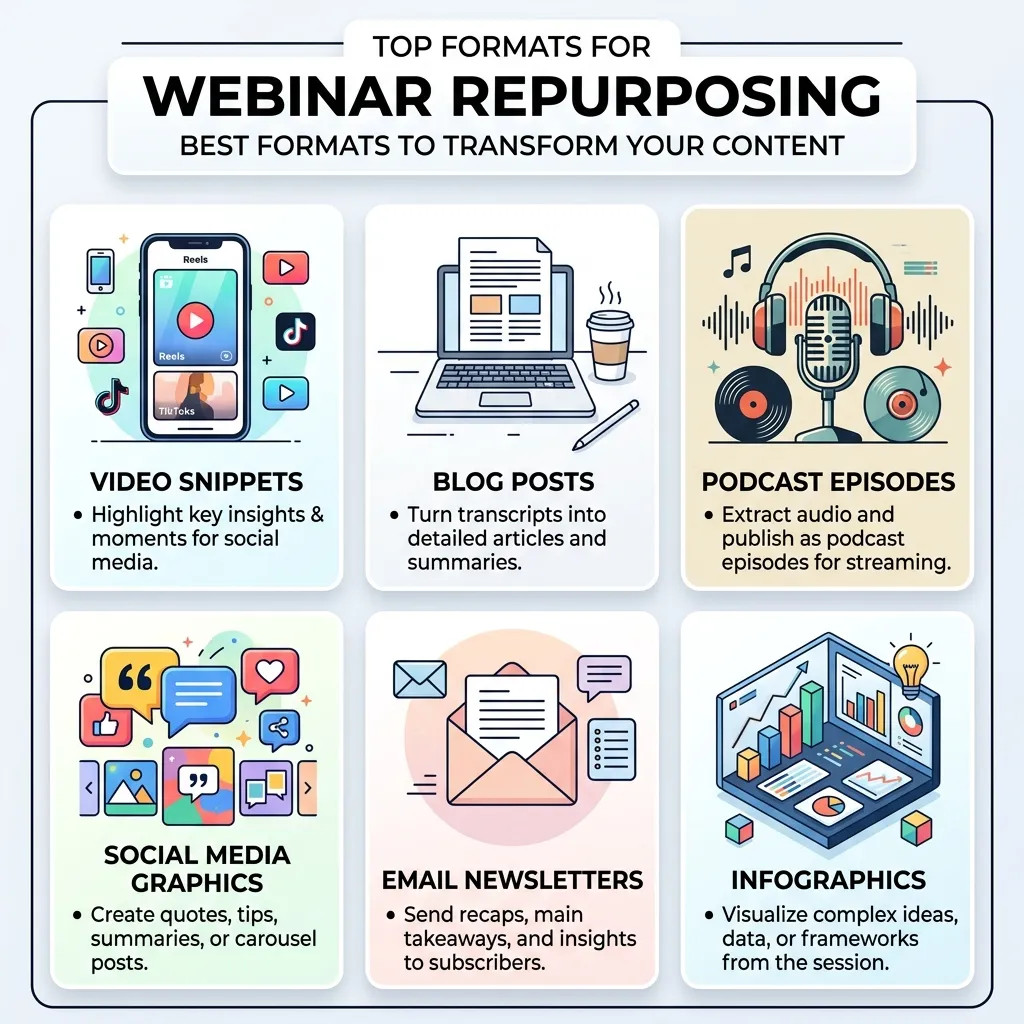
Not every part of a webinar repurposes equally well into every format, which is why matching content type to format is at the core of effective webinar repurposing. Data-heavy or highly technical sections tend to translate best into blog posts and downloadable resources, where readers can move at their own pace and reference specific numbers. Emotionally resonant or surprising moments — a strong customer story, an unexpected statistic, a sharp one-liner — tend to work best as short video clips, since they rely on tone and delivery that text alone doesn’t fully capture. Long-form discussion and back-and-forth Q&A segments often make the smoothest transition into podcast audio, since that format is built for exactly this kind of extended, conversational content.
Common Mistakes in Webinar Repurposing
- Simply re-uploading the full recording everywhere. Posting the same 45-minute video across every channel ignores how differently each platform’s audience actually consumes content.
- Waiting too long after the live session to repurpose. Content loses relevance quickly, and a webinar repurposing process that takes weeks often means posting insights that already feel dated.
- Transcribing instead of rewriting for blog content. A verbatim transcript reads poorly compared to a piece actually structured and edited as its own article.
- Ignoring sound-off viewing for social clips. Clips without captions lose most of their audience on platforms where people scroll with sound muted by default.
- Never tracking which repurposed formats actually perform. Without measurement, it’s impossible to know whether the webinar repurposing effort is worth continuing in its current form or needs to shift toward different formats.
Repurposing Webinars for Retention, Not Just Reach
Most discussions of webinar repurposing focus on reaching new audiences, but there’s a retention angle worth considering too. Attendees who leave a live session early, or registrants who never showed up at all, still represent an audience worth re-engaging through repurposed content. A short recap clip or a follow-up email built from the session’s strongest moment can recapture some of the attention that was lost during the live event itself. Our complete guide to webinar retention covers the live-session side of this challenge in depth, and webinar repurposing functions as a natural extension of that same goal — recovering engagement after the fact rather than relying entirely on holding attention during the live broadcast.
This connection matters because repurposing and retention are solving closely related problems from different angles. Strong retention keeps more of your live audience engaged through the full session, giving you more usable material to repurpose in the first place. Strong webinar repurposing then extends that value to people who couldn’t be retained live at all, whether because they registered but didn’t attend or left partway through. Treating these as one connected system, rather than two separate initiatives, tends to produce a more complete content strategy than addressing either in isolation.
Choosing a Repurposing Cadence That Fits Your Team
Not every team has the resources to fully repurpose every single webinar into every format described in this guide, and that’s fine. A more sustainable approach is choosing a consistent, realistic cadence — perhaps a blog post and three social clips for every session, with podcast and email sequences reserved for your highest-value webinars. This kind of tiered approach to webinar repurposing ensures the practice actually continues consistently rather than becoming an ambitious plan that gets abandoned after the first attempt takes longer than expected.
Building Repurposing Into Your Ongoing Webinar Process
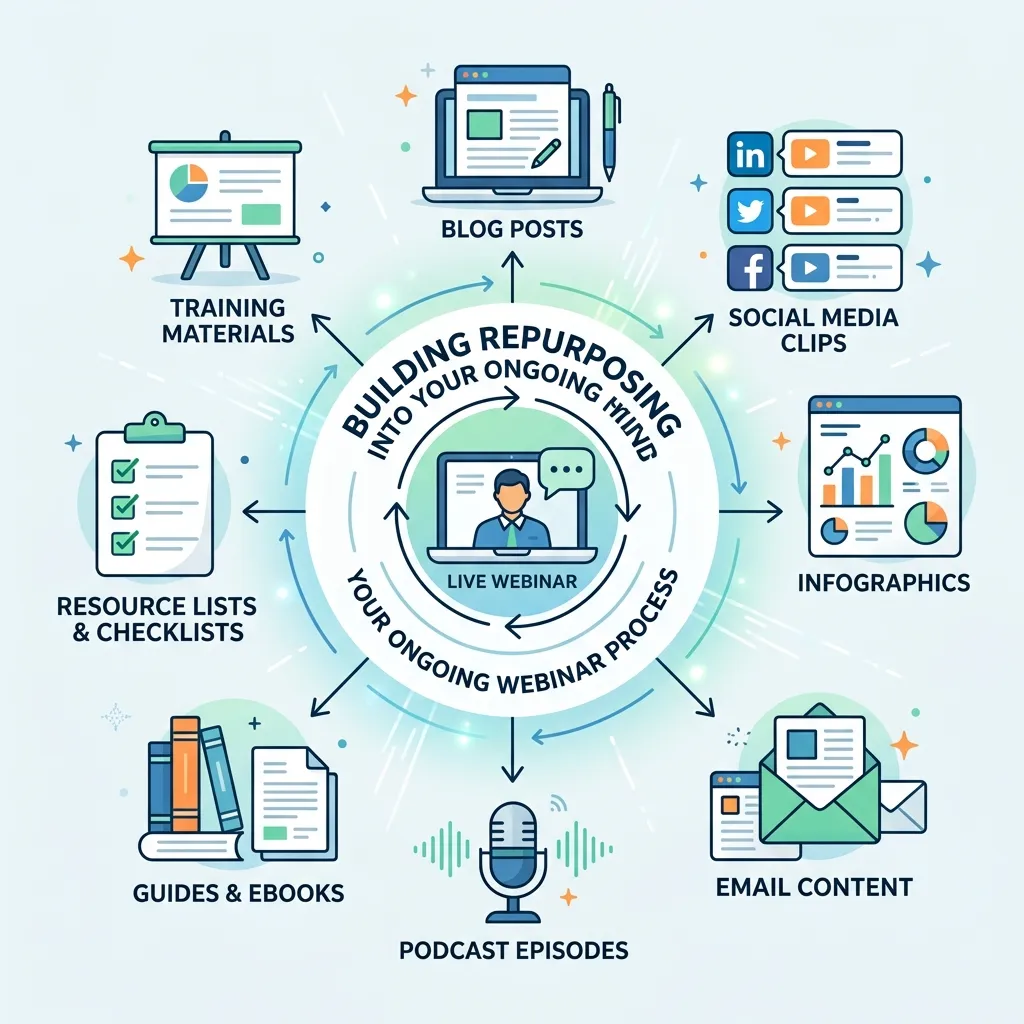
The businesses that get the most value from webinar repurposing treat it as a standard, recurring part of the post-webinar checklist, not an optional extra tackled only when time allows. Assigning specific webinar repurposing tasks — who cuts the clips, who drafts the blog post, who builds the email sequence — before the live session even happens ensures the work actually gets done consistently rather than depending on whoever has spare capacity that week. Over several webinars, this turns a single live event into a predictable, repeatable content engine rather than a one-off scramble each time.
Conclusion
Webinar repurposing turns a single live session into a genuine content pipeline: a blog post for search traffic, short clips for social reach, an email sequence for nurturing, a podcast episode for a new audience, and a searchable library that keeps generating value long after the live date has passed. Plan for webinar repurposing before you record, identify highlight moments early, and match each part of the content to the format that actually suits it. Track what performs, build the process into your standard webinar workflow, and every session you run will keep working for your business well beyond the hour it took to deliver live.
Frequently Asked Questions
1. What exactly is webinar repurposing? Webinar repurposing is the process of breaking a live session down into its key insights and rebuilding those pieces into other formats like blog posts, social clips, emails, and podcasts.
2. How soon after a webinar should webinar repurposing happen? As soon as possible, ideally within a few days, since content loses relevance quickly and delayed webinar repurposing often means publishing insights that already feel dated.
3. What’s the best format to repurpose a webinar into first? A blog post recap is often the highest-priority format since it captures SEO value and reaches people who wouldn’t watch the original video at all.
4. Do I need special editing skills to repurpose a webinar into short clips? Basic editing skills are enough for straightforward highlight clips, and many teams use simple tools or AI-assisted editing software to speed up the process further.
5. Can a webinar really become a podcast episode? Yes, particularly sessions with strong hosts and engaging discussion, though some sessions may need light editing to remove visual-dependent references that don’t translate to audio alone.
6. How many pieces of content can one webinar realistically produce? A well-structured 45-minute session can often produce a blog post, five to ten short clips, a multi-email sequence, and a podcast episode, depending on how much distinct, quotable content it contains.
7. Should I repurpose every webinar I run? Not necessarily every single one, but sessions with strong data, memorable moments, or high audience engagement are usually worth the repurposing effort.
8. What’s the biggest mistake teams make with webinar repurposing? Simply re-uploading the full recording to multiple channels without adapting it to how each platform’s audience actually consumes content.
9. How do I know which repurposed formats are working? Track engagement, traffic, and leads generated by each repurposed piece separately, rather than assuming every format performs equally well across every webinar.
10. Should repurposing be planned before or after the webinar? Before. Structuring the session with clear, distinct segments during planning makes it significantly easier to extract clean, self-contained repurposed content afterward.
11. Can old webinars still be repurposed months later? Yes, particularly for evergreen topics that haven’t gone stale, though highly time-sensitive content is best repurposed quickly while it’s still relevant.
12. Is webinar repurposing worth the extra time investment? Generally yes, since the heaviest production work is already complete once the live session ends, making webinar repurposing one of the highest-leverage ways to extend the value of content you’ve already created.










One reply on “Webinar Repurposing: The Complete Guide to Extending Content”
[…] investment doesn’t expire after a single hour-long session. A well-produced webinar can be repurposed into an ongoing library of evergreen content, extending its useful life far beyond the original air date and multiplying the return on the […]