


Webinar automation replaces the manual, repetitive work of running a webinar program — sending reminders, following up with attendees, re-engaging no-shows — with a system of triggered emails, workflows, and even fully evergreen, pre-recorded sessions that run on autopilot. Done well, it lets a marketing team scale their webinar program without scaling the manual effort required to support it. This guide covers what webinar automation actually includes, how to build an automated funnel from registration through post-event follow-up, the role of AI and evergreen formats, and the mistakes that quietly undermine automated webinar programs.
Running a single live webinar well already involves dozens of small tasks: sending invitations, reminding registrants, following up with attendees and no-shows differently, and nurturing leads based on how engaged they were during the session. Multiply that across a regular webinar cadence, and the manual workload becomes unsustainable for most marketing teams. Webinar automation solves this by turning each of those repeatable tasks into a triggered workflow that runs consistently, whether the webinar is live or fully evergreen.
This guide walks through how to build an effective webinar automation system, starting with the foundational concept covered in this evergreen webinar funnel guide, and expanding into the specific workflows every automated webinar program should include. Whether you’re running your first live session or scaling a mature evergreen program, the same underlying framework applies: automate the repetitive, and reserve human attention for the moments that actually move a lead closer to a decision.
What Is Webinar Automation?
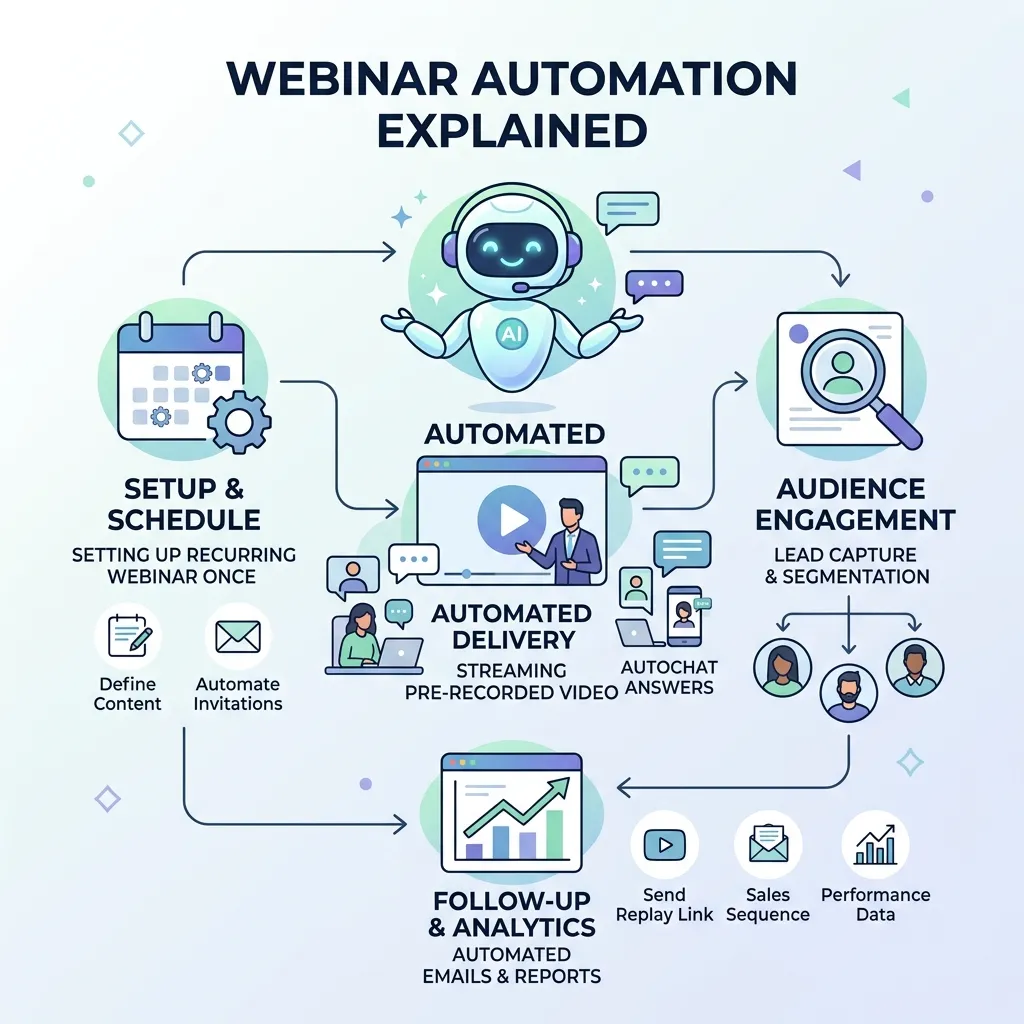
Webinar automation refers to the use of triggered workflows and pre-built sequences to handle the repetitive tasks surrounding a webinar — registration confirmations, reminder emails, attendee and no-show follow-ups, and lead scoring based on engagement. It also includes fully automated, “evergreen” webinars, where a pre-recorded session runs on a recurring schedule or on-demand, simulating a live event without requiring a presenter to show up each time.
The goal of webinar automation isn’t to remove the human element entirely, but to remove the manual, repetitive work so marketing teams can focus their time on content quality, promotion strategy, and personally following up with the highest-intent leads.
Core Components of a Webinar Automation Workflow
1. Automated Registration and Confirmation
The moment someone registers, an automated confirmation email should go out immediately, including calendar invites and access details, without requiring manual intervention from the marketing team.
2. Reminder Email Sequences
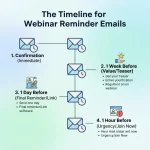
A series of reminder emails — typically sent a week before, a day before, and an hour before the session — significantly improve show-up rates. This webinar reminder email guide covers the timing and messaging that tend to perform best across each stage of the reminder sequence.
3. Attendee vs. No-Show Follow-Up Paths
Automation should branch based on whether a registrant actually attended. Attendees typically receive a recording, additional resources, and a clear next step, while no-shows receive a different message offering the recording along with an invitation to a future session.
4. Engagement-Based Lead Scoring
Automated systems can track how long someone stayed on the webinar, whether they asked questions, and how they interacted with polls, feeding that engagement data into lead scoring models that help sales prioritize the most engaged prospects first.
5. Post-Webinar Nurture Sequences
A structured follow-up sequence after the event keeps the conversation going for leads who aren’t yet ready to buy, gradually building toward a sales conversation or a next-step offer.
6. Retargeting for Non-Converters
Automated retargeting ads aimed at registrants and attendees who haven’t converted can reinforce the webinar’s message across other channels. This guide to multichannel retargeting tactics for webinar leads covers how to extend the follow-up beyond email alone.
Building an Evergreen Webinar Funnel
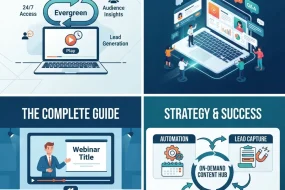
One of the most powerful applications of webinar automation is the evergreen webinar — a pre-recorded session that runs continuously without requiring a live presenter for every instance. Evergreen webinars work especially well for consistently high-demand topics that don’t require real-time updates, allowing a single well-produced session to generate leads and sales on a recurring basis with minimal ongoing effort.
Building an effective evergreen funnel typically involves:
- Choosing evergreen-appropriate content that won’t become outdated quickly.
- Simulating live elements, such as a countdown timer or scheduled “start times,” to preserve the urgency and structure of a live session.
- Automating the same registration, reminder, and follow-up sequences used for live webinars.
- Periodically refreshing the recording and offer to keep the funnel’s conversion rate from declining over time.
This full walkthrough of the complete webinar sales funnel provides additional detail on structuring both live and evergreen funnels around a clear conversion goal.
Using AI in Webinar Automation
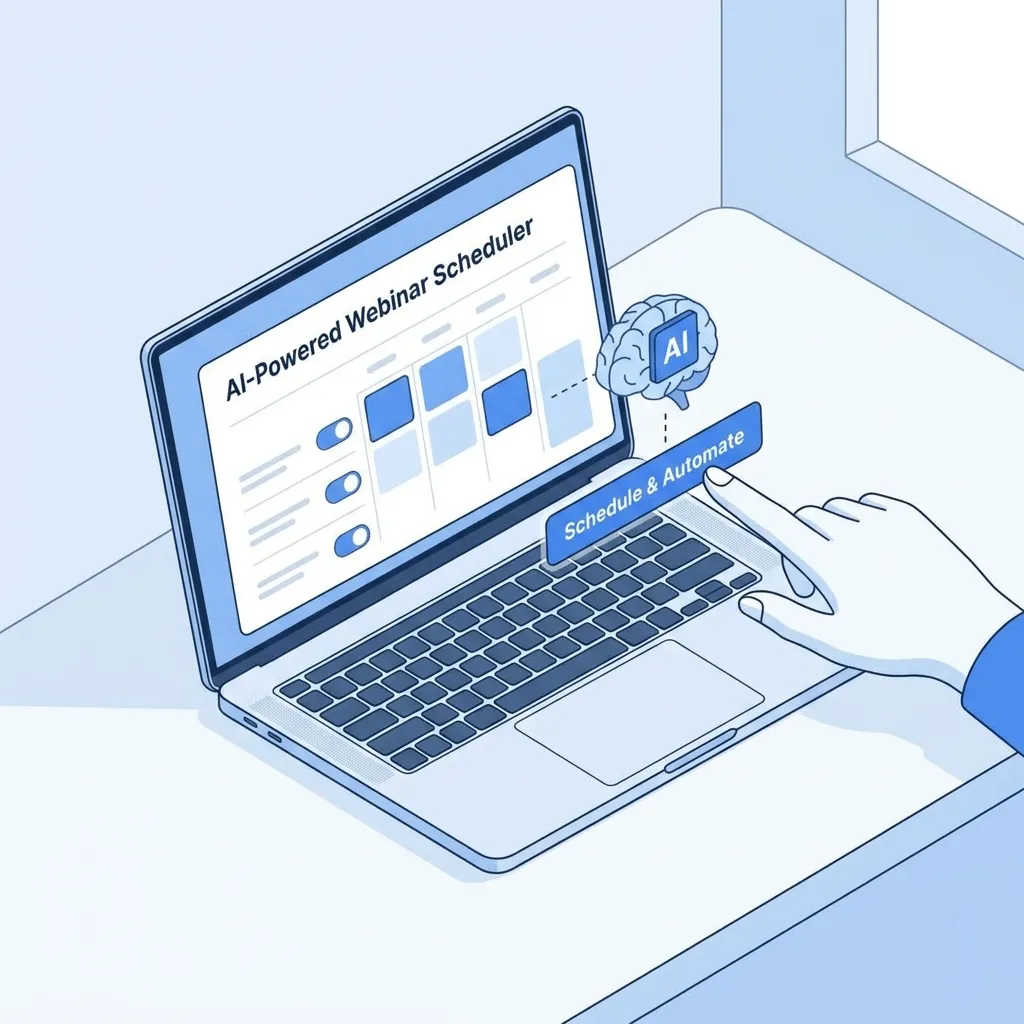
AI is increasingly layered on top of standard webinar automation to add a predictive and personalized dimension. Instead of sending the same follow-up sequence to every registrant, AI-driven systems can tailor content based on individual engagement patterns, questions asked, or even sentiment expressed during a live Q&A session. This guide to harnessing AI in webinar marketing explores how AI is being used specifically to boost engagement throughout the webinar lifecycle, from personalized invitations through post-event scoring.
AI is also reshaping how webinars are optimized for discovery. This look at optimizing webinars for AI search explains how webinar content increasingly needs to be structured for AI-powered search tools, not just traditional search engines, adding a new consideration to how automated webinar content gets indexed and surfaced. On the personalization side specifically, this guide to AI webinar personalization covers practical ways to tailor the attendee experience without manually customizing every touchpoint.
Measuring Webinar Automation Performance
Automated webinar funnels should be measured with the same rigor as any other automation program. Key metrics include:
- Registration-to-attendance rate, which reflects how well the reminder sequence is performing.
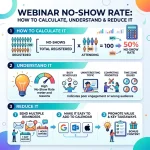
- No-show rate, a metric this guide to calculating webinar no-show rate explains in detail, including benchmarks for what’s considered typical.
- Engagement rate during the session, such as poll participation and average watch time.
- Post-webinar conversion rate, tracking how many attendees move to a next step like a demo, trial, or purchase.
- Automated sequence performance, including open and click-through rates for each step in the follow-up workflow.
Reviewing webinar success metrics more broadly helps establish realistic benchmarks before evaluating whether a specific automated funnel is performing well or needs adjustment.
Webinar Automation Within a Broader Marketing Automation Strategy
Webinar automation rarely exists as a standalone system — it typically connects into a company’s broader marketing automation platform, feeding lead data into the same scoring and nurture systems used across other channels. This complete guide to marketing automation strategy provides useful context for how webinar-specific workflows should integrate with the rest of a marketing automation program rather than operating in isolation. Understanding the difference between manual email marketing and true automation is also worth reviewing for teams still relying on manually sent webinar follow-ups rather than a fully triggered system.
Choosing a Webinar Platform Built for Automation
Not every webinar platform supports the same depth of automation, and choosing the right one matters before building out a full workflow. Look for platforms that support conditional email sequences, native integration with your CRM or marketing automation tool, and simulated live features for evergreen sessions, such as scheduled start times and chat replay. This comparison of leading webinar platforms breaks down which tools handle automation most effectively versus which are better suited for simple, one-off live events without much workflow flexibility.
Beyond the core webinar software itself, many teams also rely on a handful of free or lower-cost supporting tools for tasks like landing page creation, polling, or lightweight analytics. This roundup of free webinar tools for virtual presentations is a useful starting point for teams building out an automated program without a large software budget, since many of these tools can plug directly into an existing automation stack rather than requiring a full platform switch.
It’s also worth confirming that whichever platform you choose can pass engagement data — attendance duration, poll responses, questions asked — back into your CRM or marketing automation system automatically. Without this integration, much of the value of engagement-based lead scoring is lost, since someone would need to manually export and upload that data for it to be usable in downstream nurture and sales workflows.
Common Mistakes in Webinar Automation
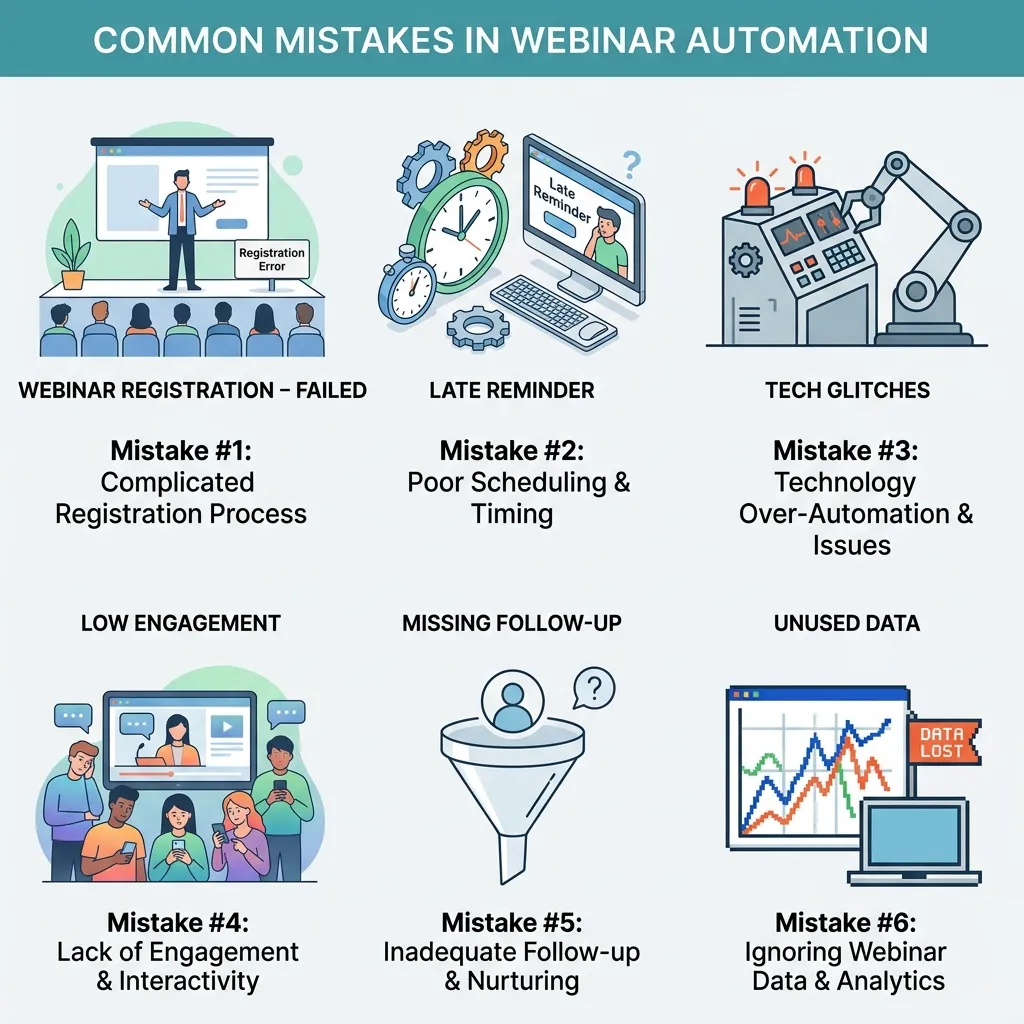
- Sending identical follow-ups to attendees and no-shows. These two groups need different messaging, and treating them the same wastes an opportunity to tailor the next step appropriately.
- Neglecting evergreen content freshness. An outdated evergreen webinar can quietly damage conversion rates if the content or offer no longer reflects current pricing, features, or messaging.
- Over-automating personal touchpoints. High-value leads identified through engagement scoring should still receive personal outreach from a sales rep rather than remaining purely inside an automated sequence.
- Ignoring the no-show segment. No-shows often represent a significant portion of registrants and shouldn’t be treated as a lost cause — a well-timed follow-up can still convert many of them.
- Skipping retargeting for non-converters. Relying on email alone misses opportunities to reinforce the webinar’s message through ads and other channels.
- Failing to connect webinar data to the broader CRM. Without integration, engagement data collected during the webinar stays siloed and doesn’t inform broader lead scoring or sales prioritization.
A Simple Example
A B2B software company built an evergreen webinar funnel around their most popular live session, which consistently drew strong attendance and conversions. After automating registration, reminders, attendee and no-show follow-up sequences, and a lead-scoring system based on engagement, the funnel began generating a steady stream of qualified leads without requiring a live presenter for each session. The team refreshed the recording quarterly to keep messaging current and used the freed-up time to focus on a smaller number of live, high-touch webinars for their most strategic accounts.
Conclusion
Webinar automation turns a resource-intensive, manual process into a scalable system that consistently nurtures leads without requiring constant hands-on management. The strongest programs combine automated registration, reminders, and branching follow-up sequences with thoughtful evergreen content and AI-assisted personalization, while still reserving human touchpoints for the highest-value leads identified through engagement data. Start by automating the most repetitive parts of your existing webinar process — reminders and basic follow-up — before expanding into evergreen funnels and more advanced AI-driven personalization as your program matures. As with any automation system, the goal isn’t to remove the human element from your webinar program entirely, but to free up enough time and attention that your team can focus it where it matters most: content quality, strategic promotion, and personal follow-up with your best leads.
Frequently Asked Questions About Webinar Automation
What is webinar automation?
It’s the use of triggered workflows and pre-built sequences to handle repetitive webinar tasks such as registration confirmations, reminders, and follow-up emails. It can also support fully automated evergreen sessions.
What’s the difference between a live and an evergreen automated webinar?
A live webinar happens in real time with a presenter, while an evergreen webinar uses a pre-recorded session that runs automatically on a recurring or on-demand schedule.
How many reminder emails should an automated webinar sequence include?
Most effective sequences include a reminder about a week before, another the day before, and one about an hour before the session. This helps maximize attendance and reduce no-shows.
Should attendees and no-shows receive the same follow-up email?
No. Attendees and no-shows should receive different messages. No-shows can be invited to watch the recording, while attendees can receive a relevant next step based on their engagement.
Can AI improve webinar automation?
Yes. AI can personalize follow-up content based on attendee behavior, analyze engagement and Q&A interactions, and help optimize webinar content for better discovery.
How do I calculate webinar no-show rate?
Divide the number of registered users who did not attend by the total number of registrants, then multiply the result by 100 to calculate the no-show percentage.
Is retargeting worth adding to a webinar automation funnel?
Yes. Retargeting ads can reach registrants and attendees who have not converted, reinforcing the webinar’s message across channels beyond email.
How often should an evergreen webinar be refreshed?
Many teams review evergreen content quarterly or whenever pricing, product features, or key messaging changes significantly. Regular updates help keep the information accurate.
Does webinar automation replace the need for a live presenter?
Not entirely. Automated sessions work well for consistent, high-demand topics, while live webinars remain valuable for strategic accounts, interactive discussions, and timely subjects.
How does webinar automation connect to broader marketing automation?
Webinar workflows can send registration, attendance, and engagement data to a broader marketing automation platform. This information can support lead scoring and personalized nurture sequences.
What metrics matter most for measuring webinar automation success?
Important metrics include registration-to-attendance rate, no-show rate, attendee engagement, follow-up engagement, and post-webinar conversion rate.
What’s the biggest mistake companies make with webinar automation?
A common mistake is treating every registrant the same regardless of attendance or engagement. Behavior-based follow-up sequences are more effective for delivering relevant messages.
For a deeper foundation before building your automated funnel, see our webinar planning checklist, or explore webinar follow-up strategies to refine sequences you’ve already launched.







One reply on “Webinar Automation: The Complete Guide”
[…] dramatically more trustworthy without changing the underlying model at all. This is also where webinar automation tools earn their value, since automating the sync between registration, attendance, and CRM records […]